What Is Self-Service? A Guide for Restaurants, Cafes and Retail (2026)
May 29, 2026
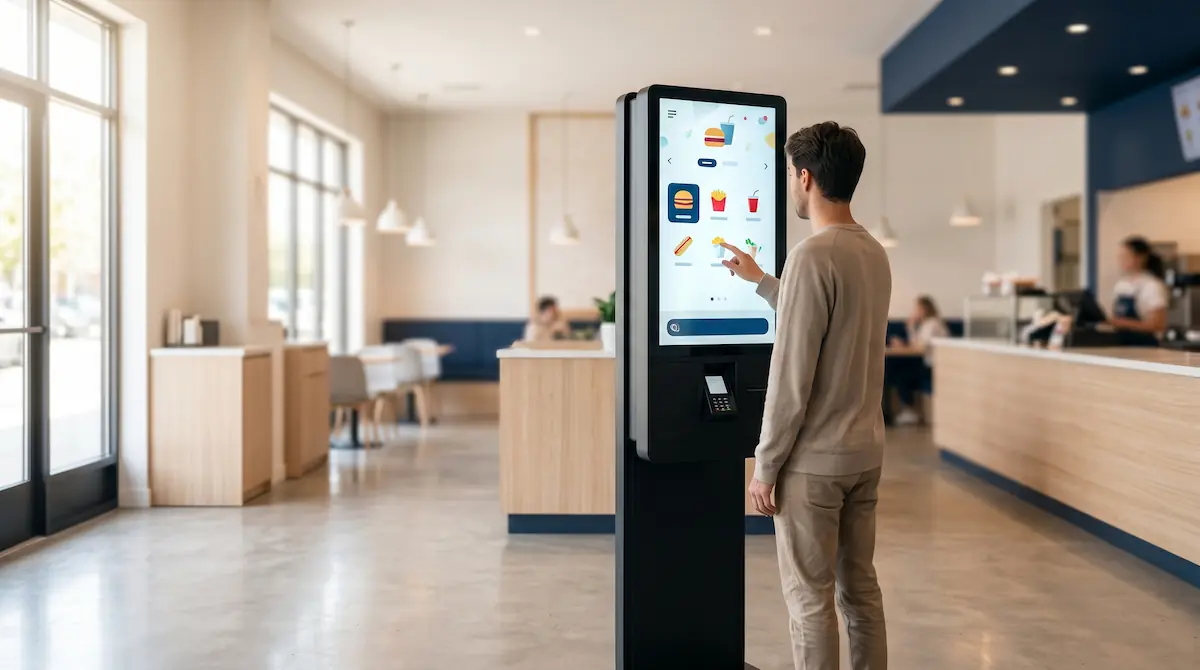
Self-service is a service model in which the customer completes ordering, payment or pickup steps on their own, without staff handling each interaction. It is widely used in restaurants, fast food, cafes and grocery to shorten queues, reduce order errors and let a smaller team serve more customers at peak.
A customer walks in, looks at the menu, orders, pays and picks up. In a traditional flow each of those steps means contact with a different staff member — host, cashier, runner, kitchen. When a single link slows down at peak, queues grow, customers get impatient and orders get mixed up.
Self-service flips that. By letting customers take the routine steps themselves, operations speed up and staff are freed for tasks that genuinely need a human — greeting, problem-solving, food preparation. And the model is no longer limited to fast food chains: cafes, supermarkets, hotels, gas stations and cinemas all run on some form of self-service today.
Where Did Self-Service Come From?
The idea is older than it looks. In 1916, the U.S. supermarket chain Piggly Wiggly let shoppers pick items from open shelves and bring them to the till — generally credited as the first modern self-service store. Until then, customers asked at the counter and a clerk fetched goods from the back.
The second big wave came in the 1950s with fast food: a customer would grab a tray, order at the counter, pay and carry the meal to their own table. In the decades that followed, buffets, vending machines and self-service fuel pumps brought the model into new sectors.
Today's digital self-service is the same idea, powered by technology: touchscreen kiosks, QR menus, self-checkout lanes and mobile ordering apps.
How Does Self-Service Work? (The Basic Flow)
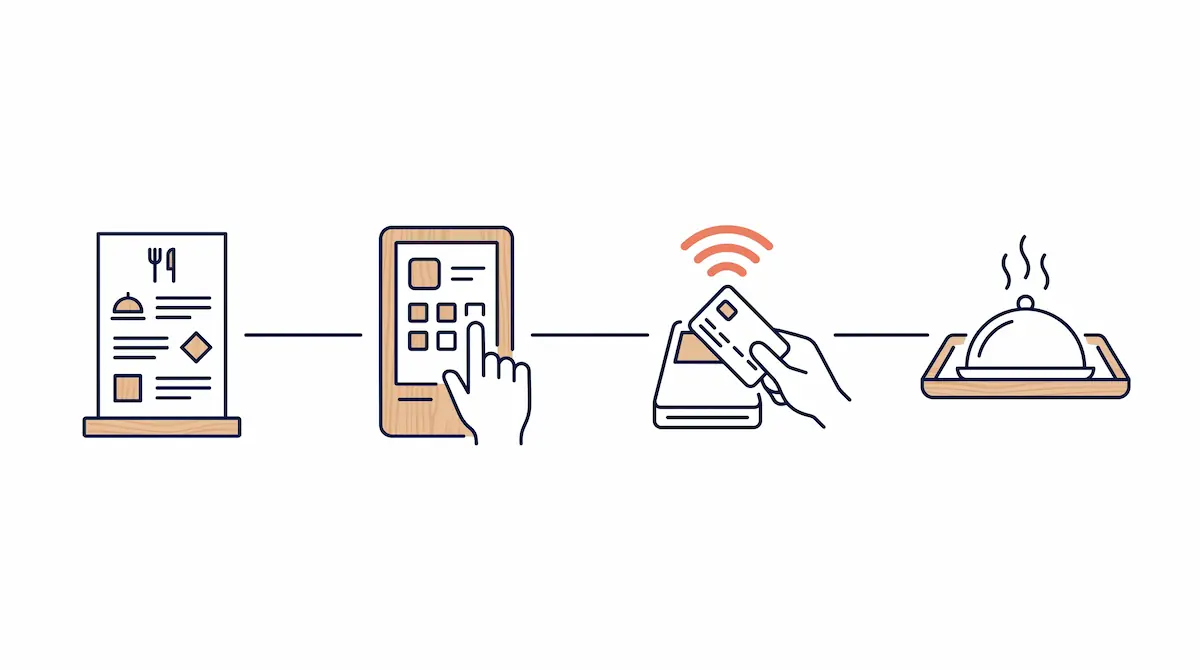
The tools differ by sector, but the flow is almost always the same four steps:
Selection: The customer browses a menu, a shelf or a digital screen.
Order / scan: They tap items on a kiosk, mark them on a QR menu, or scan barcodes at a self-checkout.
Payment: They pay themselves — card, contactless, mobile wallet or cash.
Pickup: They are called by number or screen, or they bag their items at self-checkout and leave.
The most critical part of this flow is invisible to the customer: the order placed at the kiosk drops in real time into the POS, the kitchen display (KDS), stock and reporting. Staff don't disappear; their role changes.
Self-Service by Sector
Self-service does not look the same everywhere. It adapts to the dynamics of each industry.
Restaurants and Fast Food
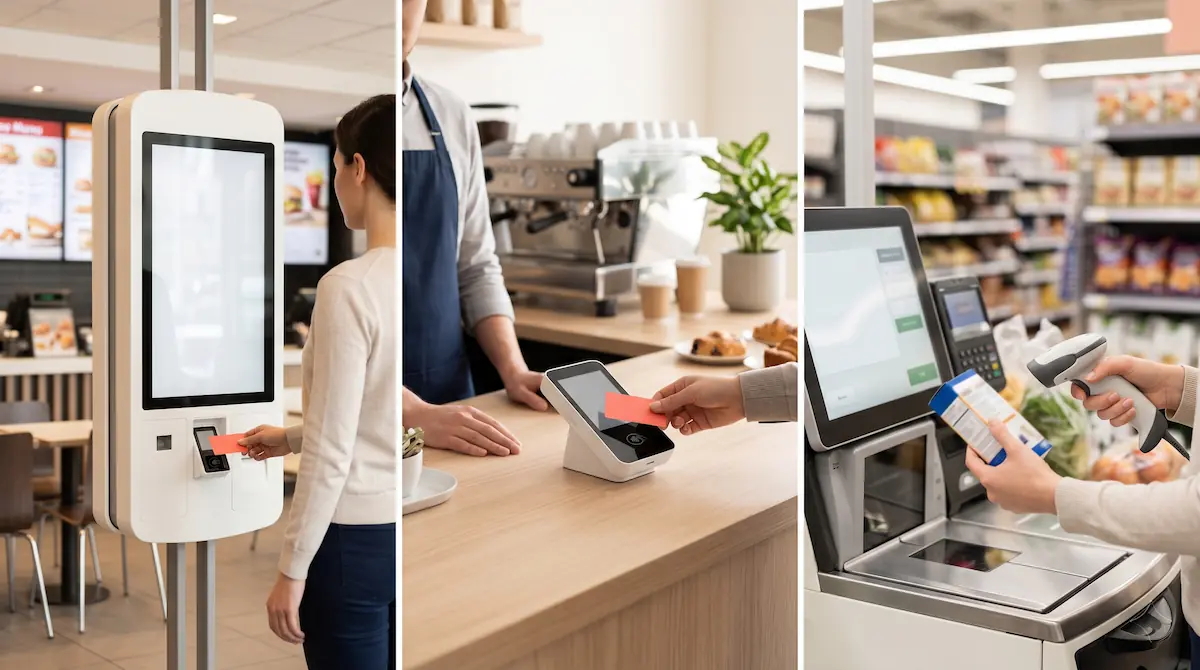
The two most common tools here are the touchscreen kiosk and the QR menu. A customer enters, orders at a kiosk near the counter, the order drops straight to the kitchen and they pick up by number. The benefit is not only speed — visual menus and on-screen suggestions consistently lift average ticket size compared to counter ordering.
In full-service restaurants, QR menus play a different role: the customer scans the code on the table, browses the menu and can even submit the order from their phone. Operations speed up without cutting waiter headcount.
Cafes
A typical cafe flow is "order at the counter, pay, queue, get your name called." It is the standard third-wave coffee shop pattern. On top of that you can layer mobile pre-orders, self-pay points and digital loyalty cards. This is how a single barista can serve 60–70 customers an hour at peak.
Grocery and Retail
The most visible example is the supermarket self-checkout. The customer scans items, bags them and pays by card. Shoppers with only a few items skip the long queue, and one staff member can supervise four to six self-checkout lanes at once.
Smaller stores use lighter versions: fast-scan counters, mobile payments and QR price lookup at the shelf.
Other Sectors
Fuel stations: Pay-at-pump card terminals — a long-standing standard in much of Europe.
Hotels: Self check-in kiosks, key-card dispensers.
Cinemas and events: Ticket kiosks, QR seat selection.
Airports: Self check-in, bag drop, automated passport gates.
The common thread is the same: routine, repetitive steps move to self-service, and staff move to the points where help is actually needed.
Benefits of Self-Service Systems
Self-service is not a trend — it is a model with measurable operational gains.
Lower Labour Costs
The same volume can be handled with fewer staff. One cashier becomes a row of kiosks; two waiters become a QR menu plus a runner. In practice this is less about cutting headcount and more about reshaping roles: greeting, food prep and problem-solving move to the front.
Shorter Customer Wait Times
The ordering bottleneck disappears at peak. Instead of a single queue of five people, five self-service points handle five orders in parallel. Average wait time drops sharply, which directly drives satisfaction.
Fewer Order Errors
The customer types the order themselves. Preferences like "no onion", "extra sauce" or "with fries" no longer pass through verbal hand-off. Miscommunication disappears, refunds drop and customer satisfaction rises.
Higher Average Ticket
Self-service screens use visual menus, suggested add-ons ("add fries?") and combo prompts that lift basket value. Alone with a screen, customers take more time to decide and are less shy about adding extras — a consistent finding across the industry.
Customer Autonomy
Many customers, especially at peak, prefer to get it done quickly rather than wait for a server. A customer in a hurry can order in seconds at a kiosk; a customer with time can browse the menu calmly. The same flow serves both.
Designing the Self-Service Customer Experience
Self-service only works as well as its design. A poorly designed kiosk can make a restaurant feel more chaotic, not less. The fundamentals of a good self-service experience:
Intuitive interface: A first-time user should be able to finish an order with no training. Three to four steps to checkout, no more.
Visual menu: Photos of items make decisions easier. Indecisive customers pick faster when they can see what they are buying.
Multi-language: Essential in tourist areas and major cities. Language switching should be one tap away.
Flexible payment: Card, contactless, mobile wallet, cash where appropriate. If a customer cannot find their preferred method, the flow breaks.
Accessibility: Wheelchair-friendly height, readable type sizes, sufficient contrast, audio guidance for low-vision users.
An obvious way out: "Cancel" and "back" buttons reachable on every screen. The customer must never feel stuck.
A human in reach: Self-service is not staff-less. A friendly face nearby for "I need help" moments is what keeps the experience comfortable.
Self-Service and POS Integration
The most critical technical piece is this: the self-service tool (kiosk, QR menu, self-checkout) must talk to the POS in real time. Without that, each self-service point becomes a small island — reports do not match, stock drifts, the kitchen runs on guesswork.
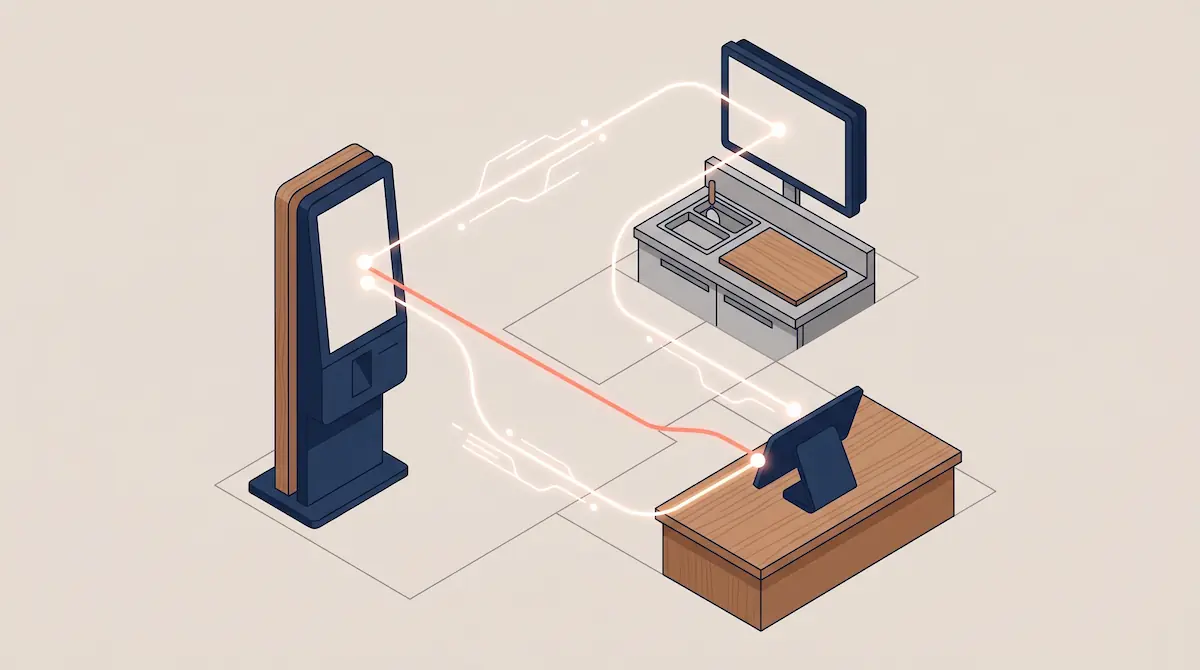
In a healthy integration the following moves in real time:
One menu, one price: The kiosk, QR menu and counter POS all read from the same product database. A price change shows everywhere instantly.
Stock sync: Orders from self-service, the counter and online platforms all decrement the same stock. "Out of stock" appears on every channel at the same moment.
KDS routing: Order contents drop automatically to the right station — cold prep, hot prep, bar, takeaway.
Unified reporting: Revenue from self-service, the counter and online orders appears in one panel, with a per-channel breakdown.
Loyalty and promotions: A campaign set up for the counter also runs at the self-service point; customers scanning a card or phone get the same points.
A modern POS like Kardo POS connects self-service tools (kiosk, QR menu, self-checkout) through the same cloud backend, so menu, stock, orders and reports stay in one place.
Self-Service Tools at a Glance
This guide covers the concept. For each tool, you can dive deeper in dedicated articles.
Self-service kiosk: A touchscreen ordering terminal placed near the entrance of a restaurant or fast food outlet. The fastest queue-breaker at peak, with a meaningful lift in average ticket.
QR menu: A digital menu the customer reaches from their phone at the table. The low-investment entry point to in-restaurant self-service.
Self-checkout: The grocery lane where customers scan, bag and pay themselves.
Mobile ordering app: The customer orders and pays before arrival and only comes in to pick up — the backbone of major coffee chains.
Before You Switch to Self-Service
Self-service does not pay off equally for every business. Before committing, ask:
Customer profile: Age, comfort with technology, average visit length. If a large share of customers dislike touchscreens, a hybrid model is wiser.
Product and menu: Highly customised menus need careful kiosk design — otherwise customers get stuck choosing.
Investment cost: Hardware, software licences, installation, integration. Starting with a low-cost tool like a QR menu is a safe testbed.
Staff training: Self-service is not staff-less. Greeting, helping and problem-solving roles need training.
Hybrid model: Self-service and a traditional counter can coexist. Customers in a hurry use the kiosk; customers who want to chat use the counter. For most venues, offering both is the right answer.
Conclusion
Self-service is a model that hands repetitive customer-flow steps back to the customer, freeing staff for higher-value work. It shows up in restaurants, cafes, fast food and grocery through different tools — kiosks, QR menus, self-checkout, mobile ordering — but the gains are consistent: shorter queues, fewer errors, higher average ticket, better staff utilisation.
The one condition for success is also consistent: the self-service tool must run as one system with your POS, stock, kitchen and reporting. Without that, self-service becomes a modern-looking island that complicates operations rather than simplifying them.