From Production to Shelf: Integrated Stock Tracking for Bakeries
July 14, 2026
Integrated production-to-shelf stock tracking is the practice of managing inventory on two layers within a single system for businesses that both produce and sell their own goods: on one side the raw-material store, on the other the shelf where finished, sale-ready products sit. For bakeries, patisseries, delis, and chocolate ateliers — businesses that are part factory, part retailer — this structure answers "how much did I buy, how much did I make, how much did I sell, and what's left" in one connected chain.
Classic retail stock is single-layered: a product arrives, sits on the shelf, is sold, and is gone. But in a production business the product you sell is not the product you bought. You buy flour, butter, and chocolate; you sell a croissant. That transformation — production — splits your stock into two different worlds. This article is about those two worlds and how to manage the bridge between them through your POS.
Two-Layer Stock: Why the Store and the Shelf Are Managed Separately
In a business that produces its own goods, stock naturally lives on two distinct layers, and blending those layers is the single most common inventory mistake.
The Raw-Material Store Layer
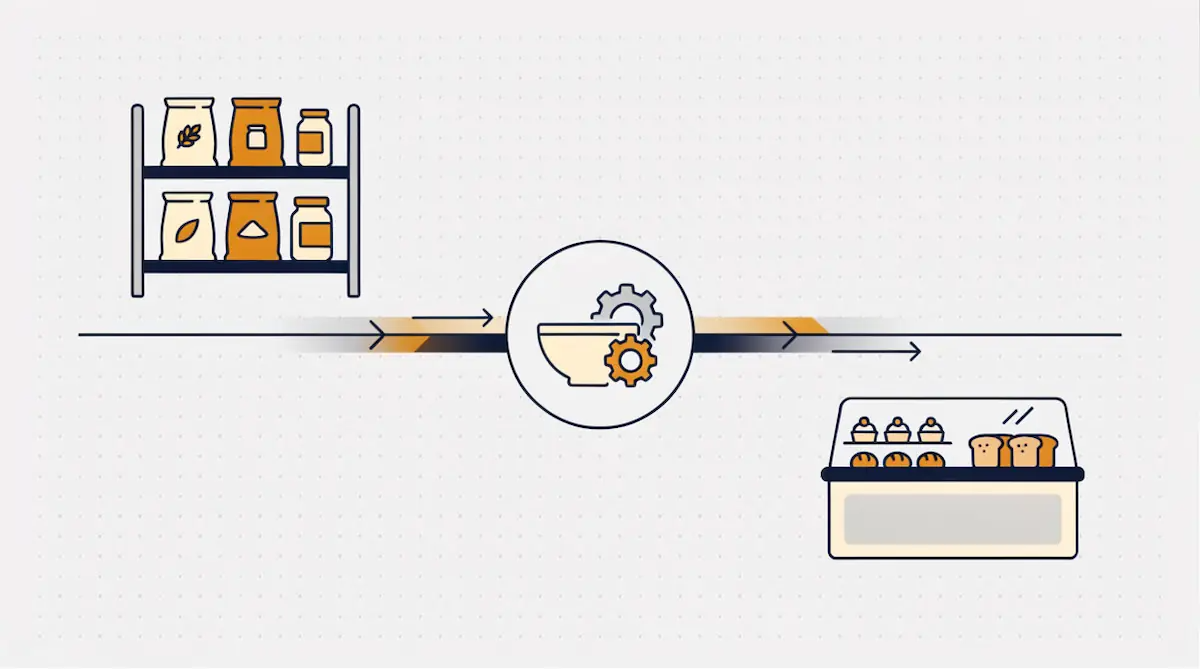
The first layer is ingredient stock: flour, sugar, butter, yeast, cocoa, nuts, milk, gelatin — every input that goes into production. This layer grows with supplier purchases and shrinks with production. Managing it well means your production plan never stalls; running out of flour at 5 a.m. is more than a lost sale for a bakery — it's a hit to reputation.
Two figures matter most in the store layer: the net quantity on hand and the minimum stock threshold. An alert when flour drops below 20 kilos keeps you from being caught ingredient-short before a busy weekend.
The Finished-Goods and Shelf Layer
The second layer is the shelf or display stock, where produced, sale-ready goods sit: the bread on the rack, the cake in the case, the pastries on the tray. This layer grows with production and shrinks with sales. Shelf stock has its own identity, because it is no longer "300 grams of flour" — it is "one whole-wheat loaf."
The value of managing the two layers separately becomes clear here: you can have 40 kilos of flour in the store yet no bread on the shelf to sell. Conversely, a full shelf with an empty store puts tomorrow's production at risk. An integrated POS shows both layers on the same screen at the same time, so the owner answers both "do I have ingredients to produce tomorrow" and "do I have product to sell today" at a single glance.
Production to Shelf: A Three-Stage Stock Movement
The heart of an integrated system is the three-stage stock movement running from ingredient to shelf. Each stage moves stock on a different layer, and an integrated POS chains these three movements automatically.
Stage 1 — Production: ingredients leave the store. When a production order is issued or a production entry is recorded, the ingredients used are deducted automatically from the store layer. The flour, yeast, salt, and butter needed to make 100 rolls drop instantly from ingredient stock. What is deducted, and how much, is defined by the product's recipe — we covered how a recipe is built and how it calculates cost in a separate article; here, our focus is the stock movement the recipe triggers.
Stage 2 — Onto the shelf: finished-goods stock rises. When production is complete, the output is added to the finished-goods/shelf layer. Those 100 rolls now appear as a sale-ready line in shelf stock. Recording the actual output matters here: if 100 were planned but 96 came out, the 4-unit difference is logged as waste and only the 96 that truly exist enter the shelf.
Stage 3 — Sale: finished goods leave the shelf. When a roll sells at the till, it is finished goods — not ingredients — that deplete; shelf stock drops from 96 to 95. It works with the same simplicity as classic retail, because the transformation already happened at the moment of production. Through the day the shelf erodes with sales, and the count left at closing feeds both the next day's plan and the waste/markdown decision.
The point of chaining these three stages together is this: a single production entry lowers the store, fills the shelf, and updates the sales catalog all at once. The owner keeps no three separate ledgers; the system runs three movements in one flow.
Shelf Life and Date Tracking: The Most Critical Layer for Fresh Goods
What most separates bakery stock from grocery stock is that the product's life is short and date-bound. A can sits on a shelf for months; a sourdough loaf is stale the next day; a fresh cream cake is unsellable two days on. So in a production business, shelf life and date tracking are not a separate layer of stock but a timestamp written onto every finished item.
Recording Production and Expiry Dates
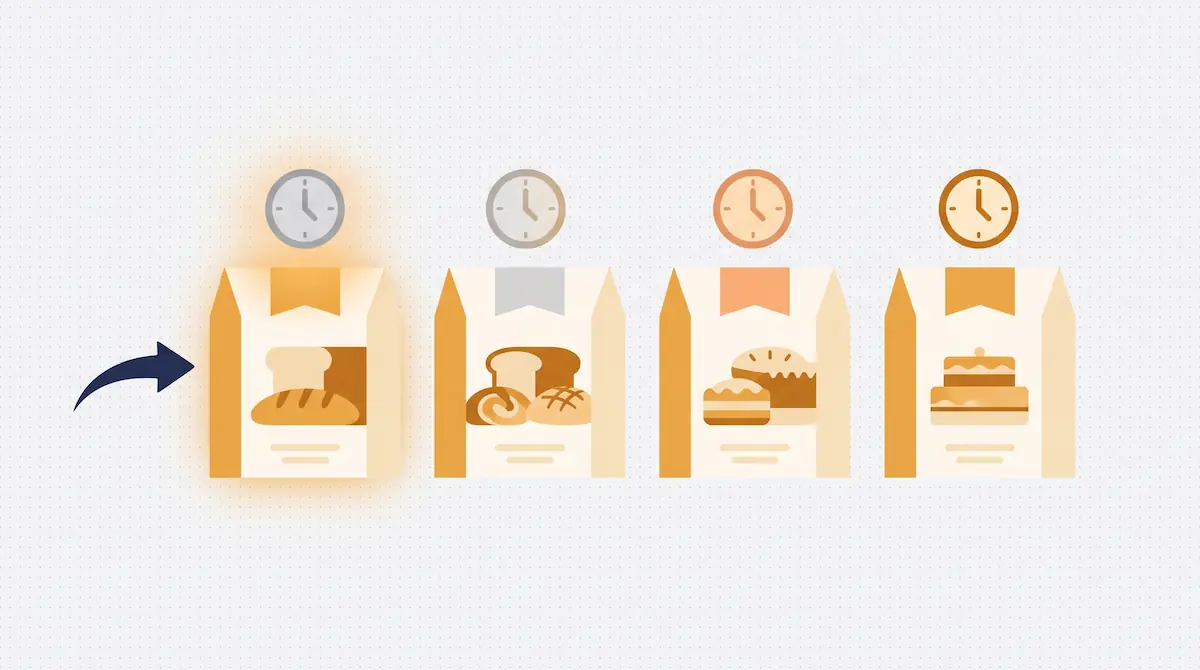
In an integrated POS, the production date is stamped automatically as finished goods enter the shelf, and the best-before/sell-by date is calculated from the shelf life defined for that product type. If a loaf is set to 1 day, a fresh cream cake to 2 days, and a dry biscuit to 15 days, the system knows the life of every batch. This is foundational data for both food safety and waste management.
FEFO: First Expired, First Out
The right stock logic for fresh goods is FEFO (First-Expired, First-Out): the batch made earliest, expiring soonest, is sold first. Placing yesterday's product at the front of the shelf and the fresh batch behind it is the physical form of this principle. When the integrated system manages which batch depletes on a sale by FEFO, whatever is left at closing is genuinely the freshest batch — stale product is never forgotten at the back of the shelf.
Near-Expiry Alerts
A well-configured system flags finished goods approaching their sell-by date ahead of time. An afternoon alert that "these 12 rolls expire today" lets the business make the markdown, packaging, or write-off decision while there is still time. Without that alert, the same information only surfaces the next morning, as the product goes in the bin.
Daily Production Planning: Your POS Tells You How Much to Make
A production business makes its most expensive decision fresh every day: how much do I make today? Overproduce and you get end-of-day waste; underproduce and you get an empty case by afternoon and lost sales. Making that call by instinct takes years of experience; an integrated POS backs the same call with data.
As it accumulates sales history, the system builds a pattern for each product by time of day, day type, and season:
Time-of-day pattern: The system knows simit sells between 7 and 9 a.m. and cake in the late afternoon, and suggests production timing accordingly.
Day-of-week pattern: Saturday croissant sales running at twice the weekday rate, with a Monday dip, is clear from history. The system signals "make 80% more for Saturday" based on the past.
Season and event pattern: Holiday pastry surges, Valentine's chocolate, warm baked goods in winter. Last year's data makes these spikes visible in advance.
This planning ties back to the ingredient side: the system calculates the raw material needed for tomorrow's suggested production, compares it against what's on hand in the store layer, and drops any shortfall onto the order list. So the production plan closes not only "how many will I make" but also "what do I need to order to make it."
Bakery, Patisserie, Deli, and Chocolate Atelier: Four Scenarios
The two-layer stock model applies to every production-retail business, but a different challenge stands out in each type.
Bakery: High Volume, Short Life
A bakery is where two-layer stock turns over fastest. The same ingredient — flour — fans out into dozens of products: bread, rolls, buns, pastries, pies. The challenge is speed and life: several batches are made through the day, and each batch's life is measured in hours. What's critical for a bakery is timing the day's production waves correctly and clearing the batch that will go stale by evening within the day itself. An integrated POS tracks when each batch was made and how much has sold, and reins in the evening bake accordingly.
Patisserie: Costly Ingredients, Low Tolerance
In a patisserie, ingredients are expensive (cream, fruit, chocolate, pistachio) and the goods are delicate. The waste on a cream cake costs many times the waste on a loaf. Here the shelf-life layer is vital: a product with a two-day life becomes a straight loss if it survives to day three. For a patisserie, the biggest gain of an integrated system is clearing valuable goods by FEFO and flagging near-expiry items in time. For made-to-order patisseries, shelf stock and order stock should be tracked separately.
Deli: Weighed and Sliced Goods
A deli's difference is that most products are sold by weight and lose stock to slicing. A whole cheese enters the store by the kilo and is sliced and sold by the gram at the counter; the rind and end pieces become waste. Here the transformation between the two layers is not "production" but "prep/slicing," yet the stock logic is the same: the whole product shrinks, sellable-slice stock and a waste record are created. For weighed sales, the POS's scale integration and gram-based deduction are decisive in a deli.
Chocolate Atelier: Batch Production and Traceability
In a chocolate and boutique-confectionery atelier, production runs in batches, ingredients are high-value, and special or seasonal collections are common. The challenge is traceability of costly ingredients (couverture, nuts, flavorings) and batch-based production planning. An integrated POS records how much of each ingredient a batch consumed and what product it became, keeping both cost and limited-run stock exact.
End of Day: Managing Stale Goods, Waste, and Markdowns
In a production business, the day ends with a closing decision as important as the one it opened with. Product left on the shelf is a direct profit-or-loss item for fresh goods, and managing it is one of the most tangible gains of an integrated system.
End-of-day shelf stock has three possible fates, and an integrated POS records each of them:
Markdown sale: Product expiring today is cleared with an end-of-day promotion. Because the system knows which batch qualifies for the markdown, the business prevents a loss without zeroing out its margin. A markdown sale depletes the shelf like any other sale and appears separately in reporting.
Carry-over to the next day: Longer-life products (dry biscuits, some bread types) carry over. The system preserves the carried batch's date and offers it up first, again by FEFO, the next day.
Waste record: Product that can neither be sold nor carried is logged as waste. Recorded with a reason code (staling, overproduction, damage), it produces the month-end "which product, on which day, how much wasted" report.
This end-of-day data feeds directly back into the next day's production plan. If you waste 30 rolls every Friday, the system suggests trimming Friday's bake. The production-to-shelf chain becomes a loop: end-of-day waste corrects the next day's plan, and as the plan improves, waste falls.
Common Mistakes
Treating the store and the shelf as one line: Managing ingredients and finished goods as the same stock leads to the "40 kilos of flour but no bread to sell" blind spot. The two layers must be tracked separately.
Not recording production output: Issuing a production order without entering the actual output corrupts shelf stock and the waste record from the start. Enter realized production, not planned.
Not defining shelf life: With no life set per product type, FEFO won't work and near-expiry alerts won't fire; waste is only noticed in the bin.
Not recording end-of-day waste: Unrecorded waste looks like "missing stock," and the production plan never improves. Every write-off should be logged with a reason code.
Leaving planning to instinct: Setting production "as usual" when sales history exists means systematic over- or underproduction.
Frequently Asked Questions
What is the difference between production-to-shelf tracking and classic stock tracking?
Classic stock tracking is single-layered: you sell what you bought. Production-to-shelf tracking is two-layered: the raw-material store and the finished-goods shelf are managed separately, with production as the bridge between them. Because the product sold (bread) differs from the product bought (flour), single-layer tracking falls short in a production business.
Is recipe management the same as the stock flow in this article?
No — they complement each other. A recipe defines how much of which ingredient makes a product and calculates its cost. The flow in this article covers the stock movement the recipe triggers — ingredients dropping, finished goods entering the shelf, the shelf selling down — plus shelf life and end-of-day management. The recipe answers "how much ingredient"; this flow answers "where did the stock go."
Does a small bakery need this system?
Yes — in fact the impact shows faster in a small business. With few staff, tracking end-of-day waste and the next day's production by hand is hard; once an integrated POS ties those decisions to data, weekly waste drops visibly within days.
How is weighed sale handled in a deli?
The whole product enters the store by the kilo; thanks to the POS's scale integration it is sold by the gram at the counter, and stock deducts on a gram basis. Rind and end-piece losses from slicing are logged as waste. This makes it clear how much sellable slice came out of the whole product and how much was lost.
Production-to-Shelf Stock Management with Kardo POS
In Kardo POS, the raw-material store, production, and the sales shelf are not separate programs but layers of the same system. When you record a production entry, ingredients leave the store, finished goods enter the shelf, and the sales catalog updates; when you sell a product at the till, shelf stock erodes. Shelf life, FEFO, and end-of-day waste management run in the background as a natural part of this flow.
If you'd like to see how the production-to-shelf chain works for your bakery, patisserie, deli, or chocolate atelier, you can try it with your own products in a Kardo POS demo. Our aim is to let you answer "how much should I make" every morning and "what's left" every evening with data rather than guesswork.