
POS System Security: Payment Data Protection Complete Guide
June 9, 2026
POS system security is the practice of protecting card, customer, and sales data from unauthorized access and breach throughout the payment flow, using end-to-end encryption, strong access controls, and industry standards such as PCI-DSS. A POS terminal is never just a payment device — it is a gateway through which card numbers, shift data, and customer profiles travel. When that gateway is unprotected, the risk lands directly on the business.
Why POS Security Is Critical for Your Business
Many small and mid-sized merchants assume payment fraud and data breaches are something only big chains have to worry about. Card-data breach reports from the last decade say the opposite: attackers actively prefer smaller merchants with weaker controls. Outdated POS software, shared staff passwords, and unmonitored shift handovers are far more common in small businesses, and threat actors know it.
When POS security fails, the merchant typically faces some combination of: stolen customer card data, fines from card schemes and acquirers, lasting damage to brand trust, regulatory penalties under GDPR or local data protection laws, and the direct cost of a forensic investigation. A single successful incident can wipe out the annual net profit of a small cafe, retailer, or restaurant.
Common threat patterns targeting POS systems
The attacks that actually happen in the field follow a small number of repeatable patterns. Knowing them is the first step toward defending against them.
Card skimming: A small hardware or software overlay placed on the card reader copies magnetic-stripe data. Most common on unattended terminals.
RAM-scraping malware: Malicious software that captures payment data during the brief microseconds it sits unencrypted in device memory. This technique sat behind several of the largest retail breaches in history.
Man-in-the-middle attacks: An attacker intercepts or modifies traffic between the POS and the payment gateway. Public or poorly configured Wi-Fi makes this much easier.
Phishing of admin accounts: A fake login page captures the owner's or manager's credentials for the POS cloud panel. The attacker then operates as a legitimate user.
Insider misuse: A current or former employee with too much access — or an account that was never revoked — performs unauthorized actions. A large portion of POS incidents originate inside the business.
Supply chain compromise: The update mechanism of POS software or a plugin is hijacked, infecting many merchants at once through a single trusted vendor.
The common thread is that none of these are bad luck. They are well-documented, repeatable patterns — which means every one of them is preventable with the right defensive layer in place.
How Payment Data Is Encrypted — TLS, E2EE, and P2PE
There are three different encryption layers in modern card payments. Knowing what each one does is what lets you ask your POS vendor the right questions.
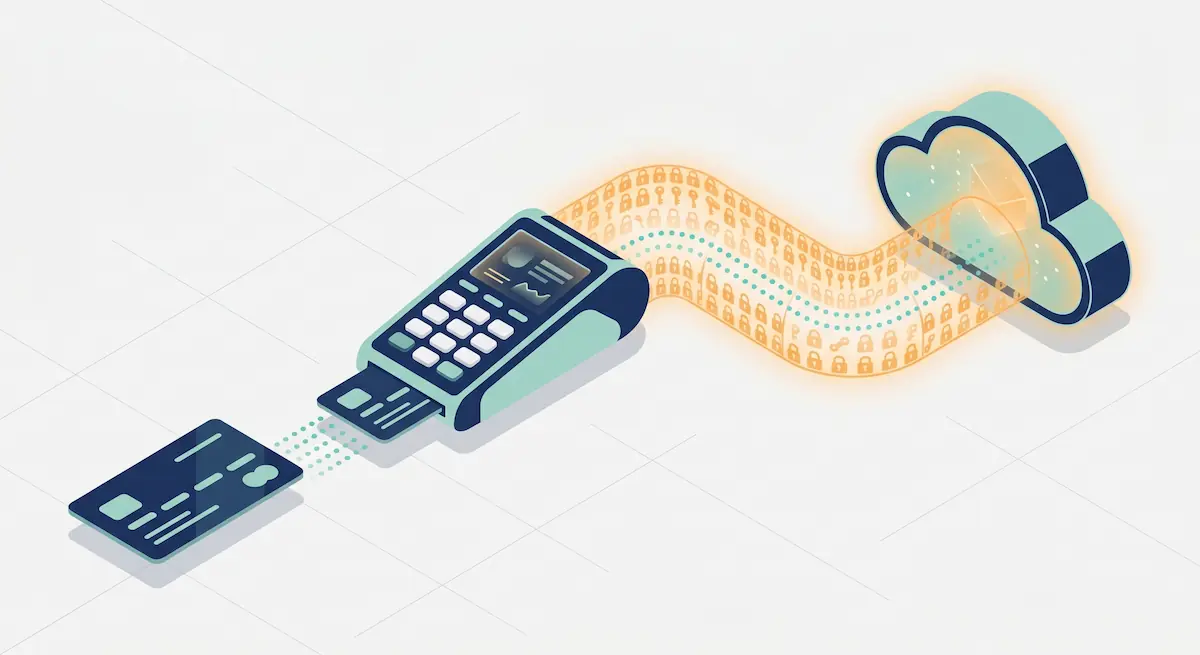
TLS (Transport Layer Security)
TLS encrypts the connection between the POS device and the payment gateway. Once data is on the wire, a passive listener cannot read the card number. Today's accepted standard is TLS 1.2 and TLS 1.3; older versions (TLS 1.0, 1.1, SSL) are no longer considered secure and are explicitly prohibited by PCI-DSS. Ask your vendor which TLS version your devices are using and how often the certificates are rotated.
End-to-end encryption (E2EE)
E2EE keeps card data encrypted from the moment it is read by the device until it reaches the payment gateway. TLS protects the channel; E2EE protects the data itself, so it never exists as plaintext even inside the POS device's memory. This is the single most effective defense against RAM-scraping malware, because the data the attacker is trying to grab is never in a readable form.
Point-to-point encryption (P2PE)
P2PE is a certified and audited form of E2EE. In PCI Council-listed P2PE solutions, card data is encrypted instantly inside the secure card reader and only decrypted inside the payment processor's secure environment. Merchants using a validated P2PE solution are eligible for a dramatically reduced PCI-DSS audit scope, because card data never appears in plaintext anywhere inside the merchant's environment. The SAQ paperwork shrinks substantially.
Practical takeaway: TLS is table stakes, E2EE is strong protection, and P2PE is the highest tier — it reduces both risk and compliance overhead. Ask your POS provider whether they offer at minimum E2EE and ideally a validated P2PE solution.
PCI-DSS Compliance — What It Actually Means for Merchants
PCI-DSS (Payment Card Industry Data Security Standard) is the security standard maintained by Visa, Mastercard, American Express, Discover, and JCB. Every merchant that accepts card payments is contractually required to comply through their agreement with their acquirer or payment processor. Non-compliance can mean higher per-transaction fees, large fines after a breach, and — in the worst case — losing the ability to accept card payments at all.

The 12 core PCI-DSS requirements — a plain-language summary
The standard groups twelve requirements under six high-level goals. Stripped of jargon, they look like this:
Goal | Requirements |
|---|---|
Build and maintain a secure network | Firewall configuration; change all vendor-default passwords |
Protect cardholder data | Protect stored card data; encrypt card data in transit |
Maintain a vulnerability management program | Anti-malware; develop and maintain secure systems and applications |
Implement strong access control | Need-to-know access; unique user IDs; restrict physical access |
Regularly monitor and test networks | Log every access; run regular security tests |
Maintain an information security policy | Written policy and staff awareness |
SAQ types — which form does a merchant fill out?
To declare PCI-DSS compliance, merchants complete a Self-Assessment Questionnaire (SAQ). Which one you fill out depends on how you accept cards:
SAQ A: E-commerce merchants that fully outsource card handling to a PCI-DSS validated third party (e.g. hosted payment page).
SAQ A-EP: E-commerce merchants whose site does not touch card data, but the payment page is hosted on their own domain.
SAQ B: Merchants using only standalone, non-networked POS or imprint devices.
SAQ B-IP: Merchants using only standalone IP-connected payment terminals.
SAQ C: Merchants whose payment application is internet-connected but isolated from other systems.
SAQ P2PE: Merchants using a PCI Council-listed P2PE solution — by far the shortest form.
SAQ D: Anyone who does not fit the above — the most extensive form.
Takeaway: The architecture of your POS and payment setup directly determines how much compliance work you have to do. Choosing a validated P2PE solution is the single biggest reduction you can make in both risk and paperwork.
Staff Permissions and POS Access Control
The most underrated layer of POS security is permission management — because a large share of POS losses come not from sophisticated external attackers but from internal users with more access than they need.

Role-based access model
A well-configured POS system assigns every user to one of at least three roles:
Cashier: Can ring up sales and print receipts and sees only their own transactions during their own shift. No void, refund, end-of-day report, or price-edit permissions.
Manager: Has all cashier permissions plus the right to approve voids and refunds, edit products and prices during the day, and view shift reports. Cannot create users or change permissions.
Owner: Full access to all reports, permission changes, product and menu setup, and system settings. Reserved for a single person.
This split is not just about least privilege — it is about auditability. The question "who did this?" can only be answered when permissions are properly separated.
Unique users, never-shared passwords
One of the firmest PCI-DSS rules is that every user must have a unique ID. That means shared accounts such as "cashier1" are not acceptable. When two cashiers ring up sales under the same login during a shift swap, you lose both fraud detection and audit trail.
Practical rules that follow from this:
Every staff member has their own unique username.
Passwords are never written on sticky notes and never shared.
Apply a password policy of at least 8 characters with letters, numbers, and symbols.
Force a password change every 90 days at most.
The account of anyone leaving the company is deactivated the same day.
Multi-factor authentication (MFA)
For manager and owner accounts, a password alone is not enough. Cloud-based POS admin panels must be protected with multi-factor authentication (SMS, email code, or authenticator app). MFA prevents a stolen password from being usable by the attacker.
Shift open–close logs and audit trail
Every shift open and close should log the cashier identity, the opening and closing totals, and the cash on hand. Every sensitive action — void, refund, price change, discount — should be logged with "who, when, on which device". Audit logs must be stored safely (ideally cloud, append-only) and remain queryable for at least one year.
Fraud Detection and Prevention
Fraud at the POS is not only customers presenting stolen cards. It is a category of risk that can appear at every level, from the cashier to the manager. A prevention strategy starts with recognizing the five most common patterns.
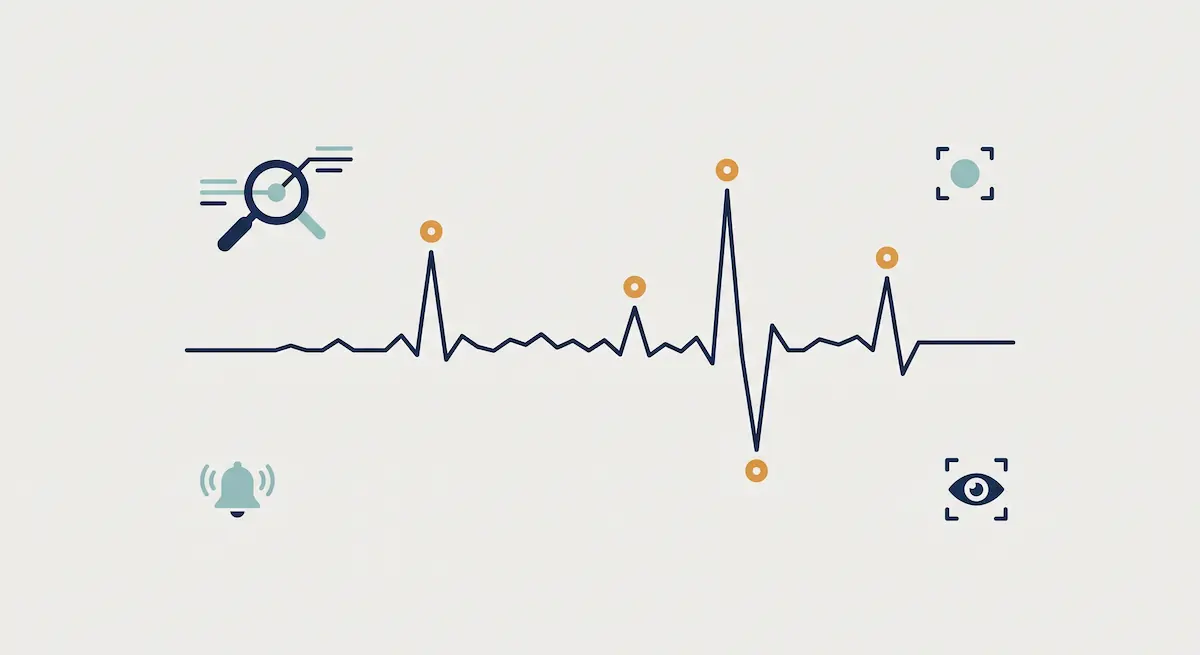
The 5 most common POS fraud patterns
Fraud pattern | How it works | Detection signal | Prevention action |
|---|---|---|---|
Fake refund | A cashier processes a refund without a real sale behind it and pockets the cash | Abnormally high refund rate on one cashier; refunds without a present customer | Require manager approval on every refund; refund to the original card only, not cash |
Void abuse | A sale is completed, then voided after the customer leaves, while the cash stays in the drawer | High daily void count for a specific cashier | Require manager approval and a mandatory reason field for every void |
Gift card fraud | Gift card balances are transferred or activated against fake transactions | Large usage shortly after activation | Manager approval for any balance transfer; monitor activation-to-redemption windows |
Friendly fraud (chargeback abuse) | The customer pays and then disputes the transaction with their bank | Repeating chargebacks from the same customer profile | Keep signed slips on file; document delivery and fulfillment; risk-score repeat disputers |
Employee skimming | A cashier uses a phone or rogue device to copy customer card data | Customer complaints of card misuse clustering inside a single shift | No-phones-at-register policy; CCTV coverage; periodic physical reader checks |
Setting up anomaly alerts
Most modern POS platforms can raise automated anomaly alerts for the patterns above. As an owner, three daily reports go a long way:
Void/refund rate report by cashier and by location.
Hourly sales chart — to catch sudden spikes outside the expected range.
Missing end-of-day report — list of shifts that closed without proper end-of-day.
Two disciplined minutes a day on these three reports catches roughly 80% of common fraud cases before they grow.
A 72-Hour Data Breach Response Plan
Even with strong prevention, breaches sometimes happen. When they do, the first 72 hours are the most legally and technically important window you have. The actions taken here can multiply or divide the total cost of the incident.
Hour 0–4: Detect and isolate
The moment a breach is suspected, isolate the affected POS devices and servers from the network. Do not pull the power — that destroys memory evidence — disconnect the network cable or Wi-Fi instead. Appoint one single incident owner to coordinate; all communications flow through this person to avoid noise.
Hour 4–24: Scope and preserve evidence
Determine which devices were affected, over which time window, and which card numbers or personal data may have been exposed. Export logs — POS, network, and cloud-side — in a way that preserves integrity. At this stage you should already be engaging a digital forensics specialist or a PCI Forensic Investigator (PFI) recommended by your acquiring bank.
Hour 24–72: Legal notification and customer communication
Under the EU GDPR, a personal data breach must be reported to the relevant supervisory authority within 72 hours of becoming aware of it. Affected customers must be notified "without undue delay" when the breach is likely to result in high risk to their rights. For the card schemes (Visa/Mastercard), notification flows through your acquiring bank, who will request a detailed incident report from you.
Hour 72+: Root cause and containment
Do not put affected systems back into production until you are confident the attack vector is closed. Reset all passwords, patch the software to a secure version, rotate any exposed API keys, and write a post-mortem so the same weakness cannot recur.
Protecting Customer Data — GDPR-Aligned Practices
A POS system today processes far more than card data. Loyalty profiles, marketing consent, e-receipt addresses, and customer purchase history are all personal data that fall under the EU General Data Protection Regulation (GDPR) for any merchant serving EU customers — including merchants based outside the EU.
How POS data maps to GDPR categories
The data your POS collects typically falls into three groups:
Identity and contact data: Name, email, phone — collected for e-receipts, loyalty programs, or warranties.
Transaction and financial data: Sales records, receipts, payment method.
Marketing profile data: Frequency, basket contents, preferred categories.
For each, you must be able to state the purpose of processing, the lawful basis (contract, legitimate interest, or consent), the retention period, and the deletion policy — and document it in your processing records.
Lawful basis and consent
You cannot rely on a single buried checkbox for everything. Sending an e-receipt may be justified as performance of a contract or legitimate interest. Sending marketing emails or building a profile for personalization almost always requires separate, freely given, specific consent — and the customer must be able to withdraw it as easily as they gave it.
72-hour breach notification
GDPR requires the data controller to notify the supervisory authority of a personal data breach within 72 hours of becoming aware. Failure to notify, or late notification, is itself an infringement and is sanctioned separately from the breach. Build your incident process around that clock.
Data minimization
The most commonly violated GDPR principle is data minimization. Asking for a full home address, date of birth, or national ID number on every loyalty signup is hard to justify for most retailers. Once a year, look at every field you collect through the POS and ask "do we actually need this?" Data you never collect can never be breached.
POS Security Checklist — 15 Actions to Take This Week
The 15-item list below turns everything in this guide into a single page of yes / partial / no questions. Spending one disciplined hour going through it gives you an accurate picture of your POS security maturity.
Device and software
All POS devices are on the latest software version.
Devices communicate over TLS 1.2 or TLS 1.3.
Payment data is protected with at least E2EE, ideally validated P2PE.
POS devices are not connected to public or guest Wi-Fi.
The physical integrity of card readers is inspected weekly (any unfamiliar attachments?).
Staff and access
Every staff member has a unique username and password; no shared accounts.
MFA is enabled on every manager and owner account.
Accounts of departing staff are deactivated the same day.
Cashiers cannot process voids or refunds without manager approval.
A password policy (8+ characters, 90-day rotation) is enforced.
Process and audit
Every void, refund, and price change is logged and retained for at least a year.
The void/refund-rate report is reviewed daily.
A written data breach response plan exists and the responsible people are named.
Privacy notices and consent flows are GDPR-aligned and up to date.
Your POS vendor's PCI-DSS compliance status has been confirmed in writing.
A merchant who can answer "yes" to all 15 sits well above industry average. Every "no" is a concrete action item for the next month.
Conclusion
POS security is never a single device, a single feature, or a single certificate — it is a layered discipline. Correct encryption (TLS plus E2EE/P2PE), the right standard (PCI-DSS compliance), the right permission model (role-based, unique users, MFA), active fraud monitoring, a ready breach response plan, and a GDPR-aligned data policy — when all six layers are in place, the risk to the business drops dramatically.
Kardo POS provides most of these layers without putting the technical burden on the merchant: role-based access management, MFA-protected admin login, an auditable activity log, encrypted cloud backups, and integrations with P2PE-validated payment processors. To assess your current POS security maturity, you can reach out to a Kardo POS advisor.