Multi-Location POS Management: A System Architecture Guide for Chain Businesses
June 5, 2026
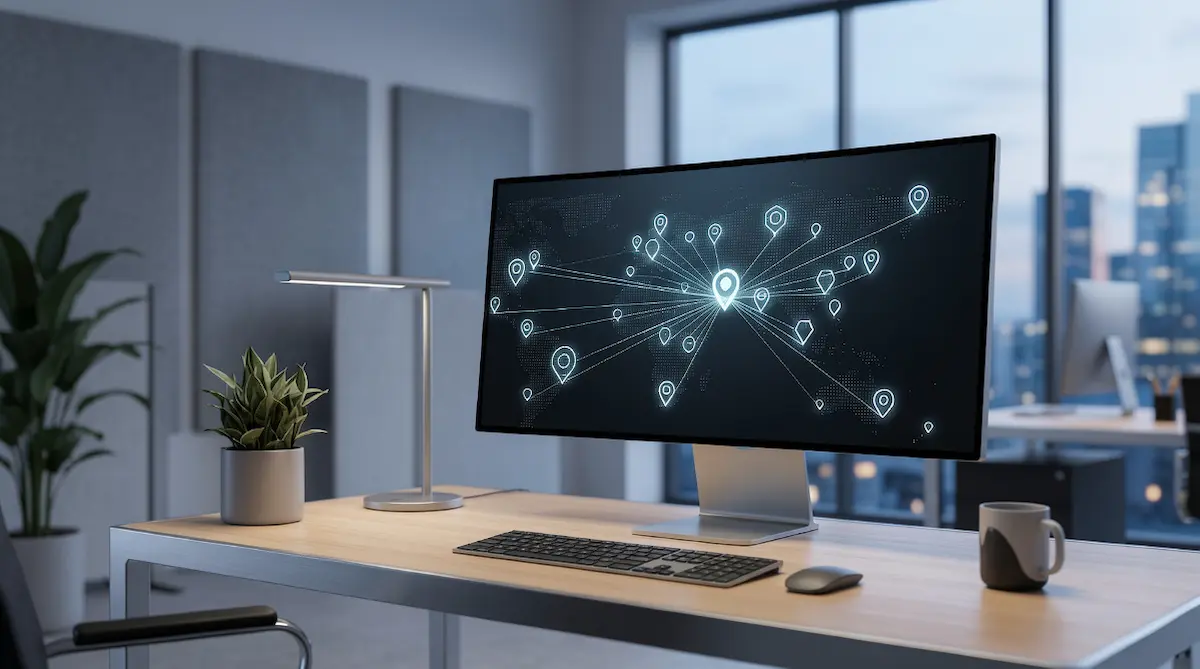
Multi-location POS management is the architecture pattern that lets a chain business control sales, inventory, pricing, and reporting for every branch through a single cloud-based system. Each branch still rings up sales on its own device, but all data converges in a central dashboard in real time — and changes made at headquarters propagate to every location automatically.
What Is a Centralized POS System, and How Does It Differ From Classic POS?
In the classic POS model, each branch is an island. The cash register, product catalog, prices, and stock data live on a local device or local server. Two branches mean two separate systems; five branches mean five separate systems. Combining the data means either pulling reports manually or dumping everything into a spreadsheet at the end of the day.
A centralized POS system flips that model. The hardware sits at the branches, but the brain, the data, and the management layer live at the center. Every transaction starts on the local device, gets pushed to a cloud server, and is written to a central database visible to every branch. Adding products, changing prices, launching campaigns, defining staff permissions — all of these happen on a central panel and sync to every branch within minutes.
The table below summarizes the two architectures:
Capability | Classic (Local) POS | Centralized (Cloud) POS |
|---|---|---|
Data location | Stored per branch | Central cloud database |
Product/price updates | Branch by branch | One panel, propagated in minutes |
Consolidated reporting | Manual aggregation | Real-time, automatic |
Time to open new branch | Days of setup | Create account, connect device |
Cross-branch stock visibility | None or delayed | Real time |
Hardware footprint | Server/PC per branch | Cloud-based, terminals only |
Software updates | Manual, on-site | Automatic, centrally pushed |
Data backups | Branch's responsibility | Handled by cloud provider |
The most visible consequence of "every branch is an island" is this: the business owner has to call each branch manager on Monday morning to find out what sold where on Sunday. A centralized POS reduces that to picking up a phone and opening the app.
Why Cloud-Native Architecture? — The Technical Foundation
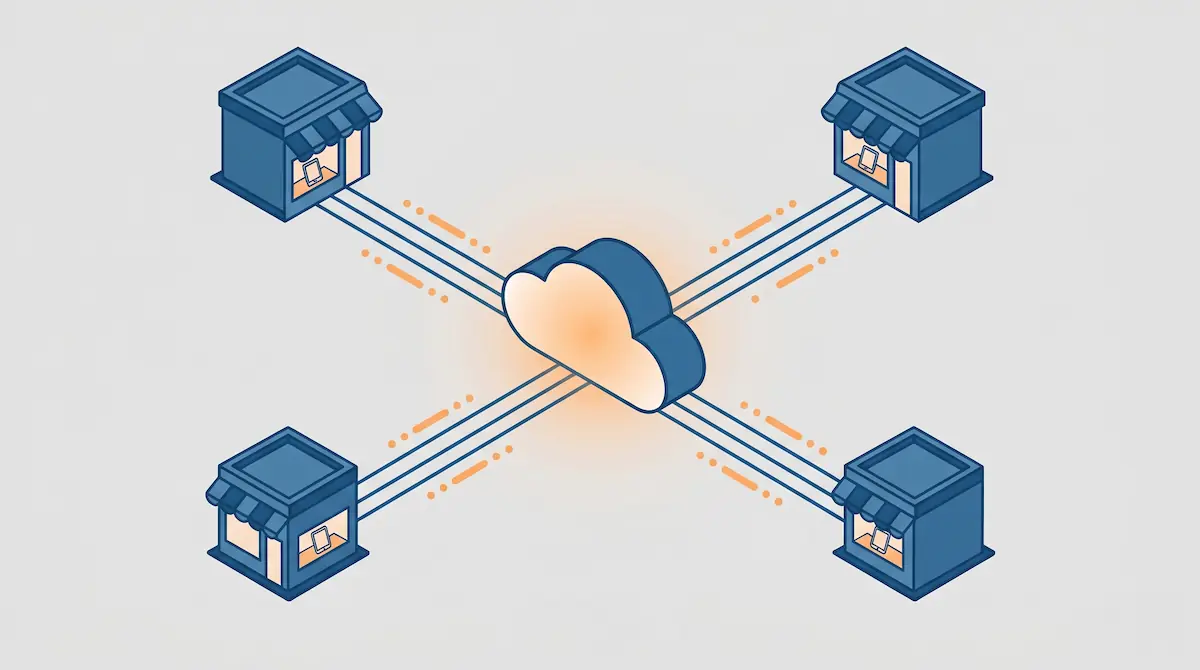
At the heart of centralized POS is cloud-native architecture, built on three pillars: a central database, thin clients at every branch, and the synchronization layer that ties them together.
Cloud vs. local server
In a local-server model, every branch — or the headquarters — runs a physical server that needs maintenance, patching, and backups. The model is expensive and fragile: if the server goes down, business stops; if backups have lapsed, data loss is inevitable. A cloud architecture moves all of that burden to the POS provider. SLAs, backups, scaling, security patches — all handled by the vendor.
How synchronization works
Synchronization runs in two directions:
Branch to center (push): Every sale, refund, and stock movement is written to the central database instantly or within a few seconds.
Center to branch (push/pull): New products, price changes, and menu updates are pushed to every branch device the moment they're saved in the central panel.
The flow assumes a stable internet connection at every branch, but a well-designed centralized POS must also be ready for connectivity loss.
Offline mode and "eventual consistency"
The most frequent question about centralized POS is: "What happens if the internet goes down?" The answer is: nothing — sales must continue. Well-designed systems keep a local cache on each branch device. When connectivity drops:
The device keeps operating using the last synchronized product list and prices.
Sales are saved locally and queued as "pending to upload."
When the connection returns, every queued transaction is replayed to the central system automatically.
In software engineering this is called eventual consistency: branches may not be perfectly in sync with the center at every moment, but no data is lost, and the system reconciles itself over time. For restaurant chains, retail stores, and supermarkets, this is not a luxury feature — it's table stakes.
Data security and backups
Cloud-based systems move data over encrypted channels (TLS), store it encrypted at rest, and replicate backups across multiple geographic regions. If a data center fails, a different region takes over. This is a level of infrastructure that an SMB chain could never realistically build on its own — and it's the quiet biggest advantage of cloud POS.
Six Core Systems Managed From One Dashboard
The practical power of a centralized POS shows up in six core modules. Each is managed from the same central panel, and every change propagates to every branch automatically.
1. Central product and price catalog
Updating a product's price across every branch in one click is centralized POS's most visible value. You change the price on the central panel; the system pushes it to every location. Calling branch managers to "swap the shelf tags" becomes history.
Mature systems also support branch-level price variations: charge 15% more for a coffee at the airport branch while keeping the neighborhood store at the standard rate. One catalog, multiple price tiers.
2. Menu and product synchronization
Add a new product and every branch can sell it the same moment. Discontinue an item and no branch can accidentally ring it up again. Campaign planning follows the same logic: BOGO offers, happy hour, 20% student discounts — all defined centrally with a per-branch toggle for where the rule applies.
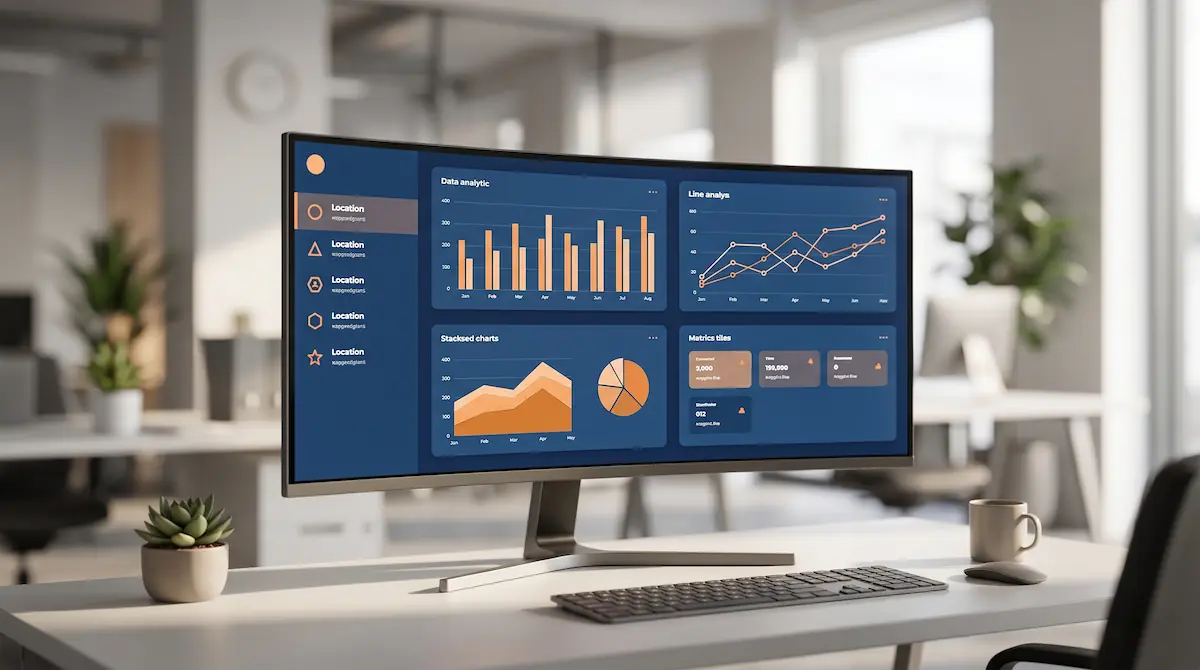
3. Central reporting dashboard
A consolidated view plus per-branch drill-down operates as two zoom levels on the same data:
Consolidated: What did the whole chain sell today? How is revenue split by category? Which payment method led?
Per-branch: Which branch performed best? Where is the average basket size highest? Which branch is falling behind on traffic?
A chain business needs both: the "big picture" view and the ability to drill down into a problem. Centralized POS delivers both from the same dashboard.
4. User and staff permission management
Permissions in centralized POS are role-based. A branch manager sees their own branch's reports, a cashier only processes sales, a regional manager sees five branches, and the central administrator sees everything. The same person can also be modeled across branches — for example, a regional manager with edit rights at two locations and read-only access at three more.
This is virtually impossible to do in classic POS, where each branch maintains its own user list and changes happen on the device.
5. Remote shift open and close monitoring
The opening and closing of every branch's cash register is tracked from the central panel in real time. If a branch hasn't opened by 10:00 a.m., headquarters knows. If a branch tries to close early without reason, it's visible. When the end-of-day report is finalized, the central panel updates and the day's totals are merged into the consolidated report automatically.
6. Cross-branch data flow
This module is mostly an operational concern (covered in depth in another article on multi-branch staff and inventory operations), but the architecture for it is laid here: stock transfers, gift card redemption across locations, loyalty points valid at every branch, and customer wallet balances usable anywhere — all of these are only possible when a single central database backs every branch.
A Practical Approach for Growing SMBs with 2–5 Locations
The most common mistake growing chains make is opening the second branch on the same classic POS as the first and saying, "we'll just consolidate in Excel." The first three months might be manageable; by month four, consolidated reporting becomes a daily chore. At that point, migrating every branch to a central system is both expensive and operationally painful.
What you need from day one
The moment you open the second branch, three capabilities are non-negotiable:
Central product and price management: Add or update items from one panel.
Consolidated daily report: See yesterday's sales for every branch on one screen.
Cloud-based backups: No local server headaches.
What can wait for later years
For the first year, the following are usually over-engineering:
Detailed RBAC permission models — 2 or 3 roles are enough at the start.
ERP/accounting API integration — manual monthly exports are tolerable for one year.
Multi-region cloud infrastructure — single-region is fine for a domestic chain.
AI-driven forecasting — solidify basic reporting before layering predictions on top.
Typical transition: from one branch to many
3–4 weeks before opening the second branch, audit your current POS setup:
Is the current system cloud-based or local?
Will the second branch be a "new account" or an "additional location" under the same tenant?
Can the product catalog be shared, or does it need to be re-entered?
Will reports merge automatically?
If any answer is "no," plan a system change before the second opening. Migrating two branches is far easier than migrating three.
Common mistakes
The "we'll switch later" trap: Staying on classic POS for familiarity and regretting it at the third branch.
Updating prices at the branch: Sooner or later someone forgets, the tag doesn't match the till, and the customer is right.
Collecting branch reports over WhatsApp: Data flow depends on human discipline; mistakes are inevitable.
Assuming "the cloud handles backups" without testing: Even cloud backups need policy verification — run a real restore once.
Mini example: a 3-branch coffee chain
Picture a small coffee chain with three locations. From the central panel:
09:00 — A "limited time" menu campaign starts; tablet menus across all three branches refresh within two minutes.
13:30 — The second branch is selling far more milk-based drinks than the others; the morning's supply gets redirected there.
18:00 — Headquarters spots five sales miscategorized by a cashier at the first branch; corrects them remotely without interrupting service.
23:30 — End-of-day reports roll into the central panel one by one; total daily revenue is ready on one screen.
Try the same in classic POS and you're calling three managers, collecting figures by hand, and merging them in a spreadsheet late at night.
Advanced Topics for Enterprise Chains with 10+ Branches
Once the branch count goes double-digit, expectations of the centralized POS change dramatically. The question is no longer "can I add products from headquarters?" — it's "is this a credible part of our enterprise IT stack?"
API and ERP/accounting integration
Enterprise chains integrate POS data with ERP, accounting, BI, and data warehouse systems. That requires the POS vendor to offer well-documented REST APIs, webhooks, and ideally streaming or GraphQL endpoints. Typical integrations:
Daily sales export to the ERP
Two-way sync of stock movements with the warehouse management system (WMS)
Sales invoices flowing into the e-invoicing platform
Customer data unified with the CRM
Multi-region data handling
Chains crossing national borders care about data residency. A chain operating in the EU has to comply with GDPR, which means data stored within the EU. A serious POS vendor lets you choose the hosting region and supports data localization.
SLA, uptime, and disaster recovery expectations
In classic POS, uptime is the branch's problem. In centralized POS, it's the vendor's contractual commitment. Typical enterprise expectations:
Uptime SLA: 99.9% or higher (≤ ~8.7 hours of downtime per year)
RTO (Recovery Time Objective): 1-hour recovery after a major incident
RPO (Recovery Point Objective): No more than 5 minutes of data loss
Incident reporting: Customers notified within 15 minutes of impact
Detailed role-based access control (RBAC)
Permission management in chains with dozens of branches needs fine-grained control. Typical roles:
Cashier: Sales only
Branch manager: Own branch's reports, refunds, small discount authority
Regional manager: Reports across multiple branches, price-change requests (no direct apply)
Headquarters administrator: Full chain, can change prices/menus/users
Accounting: Read-only, financial and invoice reports
IT admin: System settings, integrations, user provisioning (no financial data access)
A well-designed RBAC system lets every permission be assigned independently and keeps an audit log: who changed which price, who downloaded which report, and when.
Zero-touch deployment for new branches
In a mature centralized POS, opening a new branch beyond shipping hardware requires no on-site technical work. The device arrives, connects to the internet, authenticates against the account, and self-configures with the right product catalog, price tier, and branch settings. The IT team never has to set foot in the branch. For fast-growing chains, that's the difference between opening 5 locations per month and opening 1.
Scalability — Eight Technical Questions to Ask Before Choosing a System
The right questions for your first vendor meeting aren't just about price and features. The questions that surface real scalability are technical:
How many branches and users can the system handle concurrently? What is the vendor's largest known customer? Is the limit defined by architecture or hardware?
What is the uptime SLA, and what did last year's actual uptime look like? Promises matter less than track record.
Is there an offline mode, and for how long? A branch losing internet for 8 hours must still be able to sell.
Where and how are backups stored? Confirm geographic separation.
What does the API offer? REST, webhooks, real-time streaming? What are the rate limits?
How does pricing scale with branch count? Linear, tiered, or flat on the enterprise tier?
How long does opening a new branch take? Within an hour, or within a day?
Can data be exported from the system? Portability matters in case you ever switch vendors.
These eight answers reveal the real maturity of the system. Every vendor with a demo can show pretty screens; only a serious one answers these questions cleanly.
Migration Checklist: Moving to a Centralized POS
Migrating from classic to centralized POS is not a one-day job. A 12-step checklist keeps the risk low:
Inventory the current system. Which devices, which software versions, which datasets?
Define migration scope. Product catalog, customer list, historical sales — what migrates, what gets archived?
Pick a pilot branch. Ideally small and flexible — the migration is tested there first.
Build a staff training plan. At least two days, with separate sessions for cashier and manager roles.
Define a parallel-run period. The pilot branch runs the old and new systems side-by-side for 1–2 weeks.
Run a data migration dry-run. Use a real data copy to validate results before flipping the switch.
Test branch connectivity. Bandwidth, redundancy, behavior under outage.
Plan the roll-out calendar. Branch by branch, weekly. Migrating multiple branches in the same week multiplies risk.
Assign a single migration owner per branch. Diffuse ownership creates gaps.
Set up first-week support. On-site at the pilot, fast-response remote at every other branch.
Capture closing reports from the old system. Final daily report, final stock listing, final customer list per branch — all archived.
Run a 30-day post-migration review cadence. Weekly check-in: what's smooth, what's sticky, where training is missing?
A typical migration runs 3–8 weeks, depending on branch count, data volume, and staff readiness.
Frequently Asked Questions
Does sales stop if a branch loses internet?
No. A modern centralized POS keeps a local cache at each branch device. Sales continue using the most recently synchronized product list and prices; when the connection returns, queued transactions push to the central system in the background.
Is migrating from classic POS to centralized POS hard?
It's not complicated, but it does require planning. Treat it as a 3–8 week project covering data migration, a pilot branch, staff training, and branch-by-branch roll-out.
From how many branches does centralized POS make sense?
In practice, the decision should be made at the second branch. One branch can run on classic POS; switching to a central architecture when opening the second is far easier than retrofitting it at the third.
Is my data safe in the cloud?
A serious provider transports data over encrypted channels (TLS), stores it encrypted at rest, and replicates backups across multiple regions. The security posture is higher than what an SMB chain could reasonably build on its own.
Is centralized POS more expensive than classic POS?
The license or subscription cost can look higher upfront, but once you account for local server maintenance, manual reporting effort, and the cost of re-platforming as you grow, it usually comes out cheaper over a few years.
How many branches can it scale to?
Mature cloud-based systems run hundreds of branches without trouble. The ceiling is not architectural — it's how much infrastructure the provider has invested in. The right question for the vendor is: "What's your largest customer?"
Can I run different prices at different branches?
Yes. The central catalog stays unified while branch-level price tiers are defined on top. Higher price at the airport, standard at the neighborhood store, all managed from the same system.
Multi-Location Management with Kardo POS
Centralized management is built into Kardo POS from day one — not retrofitted as an add-on. You open one Kardo account, set up your first branch, and adding the second is simply a matter of defining a new branch and connecting the device. Products, prices, campaigns, and reports flow through a single central panel from the very first branch. The same architecture scales from a 2-branch café to a 50-location chain — no re-platforming required.