
Inventory Management Software: POS-Integrated Stock Tracking Guide
May 22, 2026
Inventory management software is a category of business application that records stock movements, monitors current quantities, and produces decision-ready reports in real time. When tightly integrated with the point-of-sale system, each sale automatically deducts the matching items, low-stock thresholds trigger reorder alerts, and operators see a single, current view of inventory across every location.
What Is Inventory Management Software, and Why POS Integration Matters
A surprising share of small and mid-sized retailers and hospitality operators still run their stock on spreadsheets, paper sheets, or pure guesswork. That approach works at a small scale but breaks down the moment a second location, a busy season, or a perishable category enters the picture. Three problems show up in every business that has outgrown manual tracking: out-of-stocks that quietly kill sales, slow-moving inventory that quietly kills cash flow, and shrinkage no one can explain at month-end.
Inventory management software exists to fix all three from a single source of truth. The decisive factor is not the software itself — it is how tightly it talks to your point of sale. Standalone inventory tools require staff to enter or reconcile data manually; mistakes compound, latency grows, and the "real" stock and the "system" stock drift apart. A POS-integrated platform turns every sale, return, and stock transfer into an inventory event in the same second it happens.
The practical differences fall into three buckets:
Data flow. Spreadsheets are updated by hand at the end of a day or week. Integrated inventory management software updates the moment a barcode is scanned at checkout — no batch, no delay.
Error rate. Manual entry, copy-paste, and "I'll write it down later" workflows are statistically guaranteed to drift. Barcode-driven, system-driven flows reduce human error to near zero.
Decision visibility. Numbers in a spreadsheet are evidence after the fact. A real-time dashboard, ranked best/worst sellers, and predictive low-stock alerts let you act before a problem becomes a loss.
For multi-location operators, this last point compounds: a manager can see all locations at once, and headquarters can spot a problem at a single store without waiting for a manager to call.
How Automatic Stock Deduction Works
The heart of any inventory management software is automatic stock deduction. The flow is simple in principle: an item is sold, its on-hand count goes down, and the report layer updates. In practice, three operational pieces have to align before that flow is reliable.
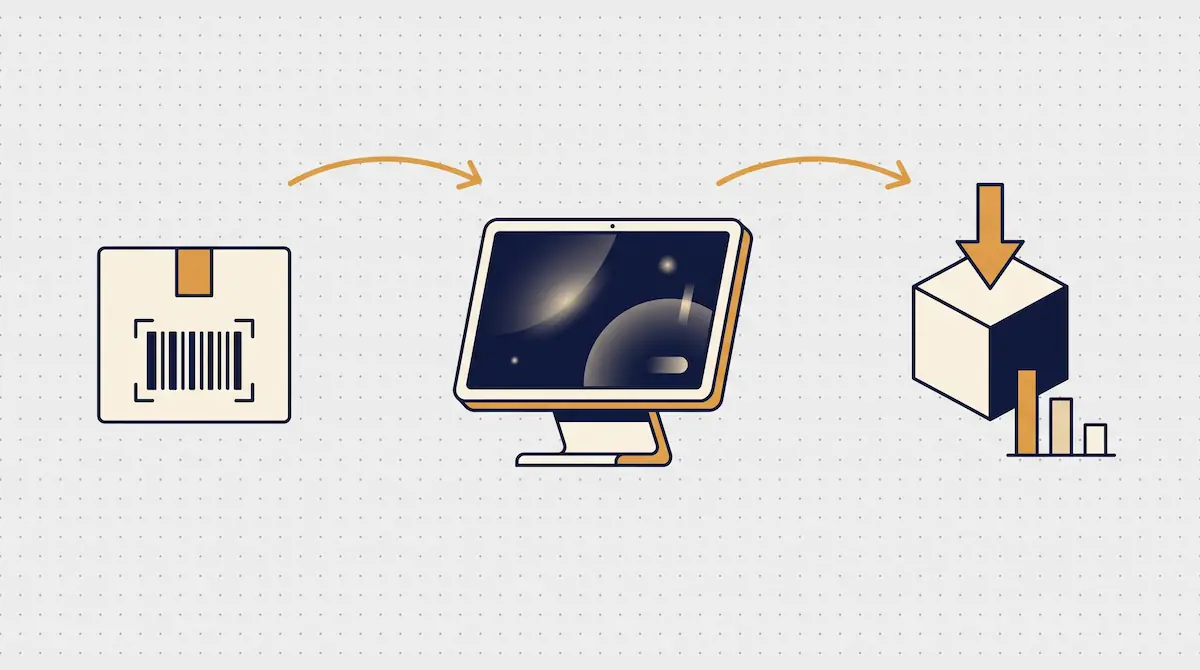
Barcode to Sale, Sale to Stock
The standard sequence: the cashier scans a barcode (or taps a product on the POS screen), the POS adds the item to the open sale with its quantity, and on payment the system writes two records — a sales entry and a stock deduction against that SKU. In the same instant, cloud-connected systems push the update to the central database; every dashboard refreshes; every report stays current.
Two prerequisites make this reliable. First, SKU discipline: every item that moves through the system needs a unique stock-keeping unit code and ideally a scannable barcode. Items without manufacturer barcodes (loose produce, prepared foods, weighted goods) need system-generated internal barcodes. Second, catalog hygiene: duplicate SKUs, mismatched units, and missing parent-child relationships are the leading cause of "the stock is wrong" complaints.
Recipe-Based Deduction for Food & Beverage
Restaurants, cafés, and quick-service operators face an extra layer of complexity. A guest does not order "milk" — they order a latte. To deduct correctly, the system has to translate each menu item into its underlying ingredients. This is called recipe-based deduction or a bill of materials (BoM).
A menu item is defined once with its recipe: a latte deducts roughly 200 ml of milk, 18 g of espresso beans, one paper cup, and one lid. Every sale walks the recipe and deducts each ingredient from raw inventory. The operator can then see, at the end of the day, exactly how many liters of milk remain — and whether the next delivery is large enough.
Multi-Unit and Multi-Location Scenarios
Inventory management software worth its license cost handles complex unit-of-measure relationships out of the box. A case of bottled water might be received as one case (12 bottles) and sold as a single bottle; the system converts between units automatically. For multi-location operators, each store has its own on-hand counts, but headquarters sees the consolidated picture and can move stock between locations with a single transfer document.
Reorder Points and Low-Stock Alerts
Tracking what you have is half the job. The other half is being warned before you run out. This is the role of reorder points and low-stock alerts.

Setting the Right Threshold
Every product has its own velocity. A fast-moving staple selling 50 units a day has a different "critical level" than a niche SKU selling three units a month. Good inventory management software lets you set a per-item reorder point that reflects two variables: average daily sales and supplier lead time. If your supplier delivers in two days, the reorder point should cover at least two days of expected sales, plus a safety buffer for demand spikes.
Advanced platforms recommend reorder points automatically based on historical sales, seasonality, and supplier performance. This is where the difference between a basic tool and a real B2B-grade system becomes visible.
Alert Channels
When stock crosses the threshold, the system raises an alert. Useful channels include:
A pop-up on the POS screen for store-level visibility
A push notification or SMS to the manager's phone
An email digest to the procurement team
A webhook into Slack, Microsoft Teams, or the company ERP
An automatic draft purchase order ready for one-click approval
Automated Purchase Orders
Truly capable inventory management software goes one step further: it does not just notify, it acts. Given the reorder point, supplier lead time, current stock, and forecasted demand, the system can generate a draft purchase order and route it for approval. The procurement team confirms, the PO is sent, and the supplier ships — with no spreadsheet, no late-night email chain, and no missed reorders. For operators with twenty or more high-velocity SKUs, this single feature pays for the entire platform.
Shrinkage, Waste, and Loss Tracking
Shrinkage is the gap between what your system says you have and what is physically on the shelf. Waste is what is intentionally written off because it is unsellable. Loss tracking captures the reason. Underestimating the financial impact of these three categories is the single most common mistake in inventory management.
A serious platform records every shrinkage or waste event with a reason code. Standard codes include:
Expired / past use-by date — common in food, pharmacy, and cosmetics
Damage and breakage — common in glassware, electronics, and apparel
Production waste — natural trim and prep loss in food service
Theft and unexplained loss — internal or external, often caught at count time
Manufacturing defect — for own-produced or kit assemblies
Return / inbound damage — supplier returns or units that arrived damaged
Each event reduces stock and writes a line into a loss-cost report. At month-end, you can see which reason code caused which amount of margin erosion and act on the largest one. "Expired" running high points at over-ordering; "damage" running high points at warehouse layout or training; "unexplained" running high points at process or shrinkage controls.
This isn't just operational discipline — it is the foundation of accurate cost of goods sold (COGS). Without disciplined waste tracking, every margin calculation, every menu engineering analysis, and every audit response is built on guesses. Finance and operations should treat shrinkage data as a boardroom-level KPI.
Stock Counting: Manual vs POS-Integrated
A stock count reconciles physical reality with system numbers. Done well, it is the audit trail your accounting and procurement teams depend on. Done poorly, it locks up the store for a day and produces numbers no one trusts.

A Practical Comparison
Dimension | Manual Count | POS-Integrated Count |
|---|---|---|
Time required | 8–12 hours for a typical store | 2–3 hours |
Error rate | High (transcription, fatigue) | Low (barcode-verified) |
Operational impact | Store usually closed | Possible during open hours |
Counting frequency | Once or twice per year | Weekly, daily, continuous |
Variance analysis | Manual reconciliation, delayed | Automatic variance report, reason-coded |
Cost profile | High labor overtime | One-time device investment |
Periodic vs Cycle Counting
POS-integrated platforms make both strategies practical. Periodic counts sweep the entire catalog once a quarter or once a year — useful for accounting close. Cycle counting sweeps a small group of items every day or every week, so over a year every SKU has been counted multiple times. Cycle counting catches variances early, isolates the source of shrinkage faster, and removes the all-hands annual count from the calendar.
Handheld scanners or mobile counting apps drive the workflow. The counter scans the product, enters the quantity, and the system flags variances on the spot. There is no separate spreadsheet, no late-night reconciliation, no surprise at the end.
Inventory Reports That Drive Decisions
The whole point of inventory management software is to turn movement data into operating decisions. Minimum viable reporting includes:
Best sellers — top items by units and by revenue, scoped to any date range. Drives merchandising, promotions, and reorder priority.
Worst sellers — slow-moving SKUs. Drives markdowns, assortment pruning, and supplier negotiations.
Stock turnover — average days an item sits before sale. Low turnover ties up cash.
Dead stock — items with zero movement over a defined window. In many operators, a significant share of working capital is locked in dead stock without anyone noticing.
Category performance — which categories carry which share of revenue and margin.
Supplier performance — fill rate, lead time accuracy, return and damage rate by vendor.
A Note on ABC Analysis
ABC analysis is the classic inventory segmentation: A items (roughly 20% of SKUs producing 80% of revenue), B items (mid-contribution), C items (long tail). The rule of thumb: never run out of A items, never over-invest in C items. Most serious inventory management software produces ABC classification automatically and refreshes it on every cycle. Applied with discipline, ABC alone can free a meaningful share of working capital.
Industry Fit: Retail, Hospitality, Wholesale
The right feature set depends on the operating model.
Retail (grocery, convenience, specialty). Fast barcode scanning, multi-unit support (case / pack / unit), expiration-date tracking, weighed-item handling. Checkout throughput is critical, so POS integration is non-negotiable.
Hospitality (restaurants, cafés, bars). Recipe-based deduction is the headline feature. Add waste tracking, ingredient-level costing, daily consumption reports, and — for multi-unit operators — centralized recipe management with version control.
Apparel, beauty, and specialty retail. Variant management (size, color, style), seasonal collection workflows, return and exchange flows. Long-tail catalogs with low per-SKU velocity make variant hygiene the dominant operational challenge.
Wholesale and distribution. Multi-warehouse stock, inter-warehouse transfers, lot and serial-number tracking, EDI integration with customers and suppliers. At this scale, inventory management software starts to look more like a light ERP than a POS add-on.
What to Look For When Choosing Inventory Management Software
Dozens of platforms compete in this market. Treat the evaluation as a B2B procurement decision, not a feature checklist. The questions that matter:
POS integration. Does the platform talk natively to your POS, or only through periodic file imports? Real-time integration is the dividing line.
Cloud and mobile access. Can you check stock from anywhere, on a phone? Required for any operator running more than one location.
Multi-location and multi-warehouse. Built in or bolted on? The architecture choice is hard to reverse later.
Reporting depth. Beyond on-hand counts: turnover, dead stock, ABC classification, supplier analytics, custom export.
Open API and integrations. Accounting, e-commerce, ERP, BI tools. A closed system becomes a strategic constraint.
Mobile counting app. Built-in support for handheld scanners or smartphone-based counting.
Role-based access control. Who sees what, who can change prices, who can write off waste. Material as headcount grows.
Pricing model. One-time license, per-location subscription, per-user, transaction-based. Model the three-year total cost.
Localization. Multi-currency, multi-tax-rate, regional compliance, language support. Critical for international operations.
Vendor support and SLA. Response times, onboarding hours, customer success engagement. The wrong vendor can cost more than the wrong software.
Conclusion: Inventory Discipline Is a Margin Lever
Inventory management software, used well, makes the invisible visible. Out-of-stocks become forecasted events, not surprises. Slow movers stop quietly draining cash. Waste stops being a mystery line in the P&L. Treated as a margin lever rather than a back-office expense, the platform pays for itself in the first quarter for most operators.
At Kardo POS, our approach is to keep inventory management inside the POS, not bolted on. Sales, stock, reporting, and multi-location operations share one data layer and one operating team. You don't onboard "an inventory tool" alongside your POS — you operate one system from day one and let the data make the case for every reorder, every markdown, and every supplier conversation.