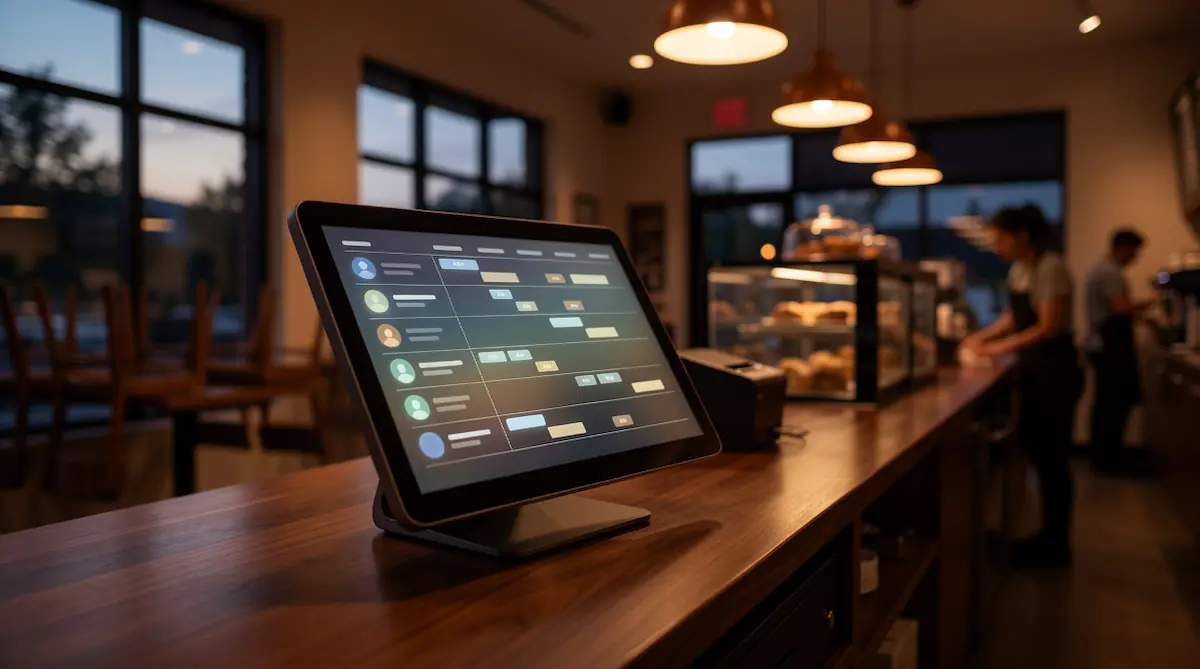
Employee Time Tracking via POS: Staff, Shift & Performance Management
July 1, 2026
Employee time tracking is the system a business uses to record and report when staff clock in and out, take breaks, work their shifts, and how they perform on the floor. In modern POS systems these features live inside the register itself, so employees start their shift on the same screen they use all day rather than on a separate device.
What Is Employee Time Tracking?
At its simplest, employee time tracking answers four questions automatically: who worked, when, for how long, and what they did. The traditional alternatives — a paper sign-in sheet or a manager's memory — are both prone to error, disputes, and wasted time.
A digital time-tracking system pulls three kinds of data into one place:
Time data: clock-in, clock-out, break start and end, and total hours worked.
Organizational data: which employee is on which shift, at which location, in which role.
Performance data: each person's sales, transactions opened, average basket size, and refund or void activity.
When these three streams come together, you stop managing by guesswork and start managing by numbers. "Why are weekend sales low?" stops being a hunch and becomes a concrete report on screen.
Historically this required separate hardware (card or fingerprint punch clocks) and a separate HR application. Today everything you need already lives inside the POS system on your counter.
Why Track Employees Through Your POS?
Most businesses run three disconnected tools side by side: a POS for sales, a punch clock for hours, and a spreadsheet for reporting. That fragmented setup has three big problems.
The data never connects. The time clock knows an employee clocked in at 9:00 but not what they sold. The POS knows what they sold but not when they arrived. Matching the two means manual work.
Double cost, double training. A separate device has hardware cost, maintenance, and its own learning curve. Every new hire has to learn two systems instead of one.
It's easy to game. On a paper sheet, times get edited after the fact and people sign in for each other. With disconnected systems that's hard to catch.
POS-based time tracking removes all three. The employee verifies their identity on the register they already use; from that moment, everything they do is recorded as both time and performance in the same record. No separate device, no separate app, no manual reconciliation.
Comparison | Separate Device + HR App | POS-Based Time Tracking |
|---|---|---|
Hardware | Extra time clock required | Existing POS is enough |
Hours–sales link | Manual | Automatic, single record |
Training | Two separate systems | One system |
Setup cost | High | Low / built in |
Reporting | Export to spreadsheet | Live dashboard |
QR Clock-In, Clock-Out & Break Tracking
The heart of POS-based time tracking is the clock-in / clock-out record. In Kardo POS this is done by scanning a QR code: an employee scans their personal QR code at the register to start a shift, and scans again to end it. Breaks are recorded the same way — "start break" and "end break."
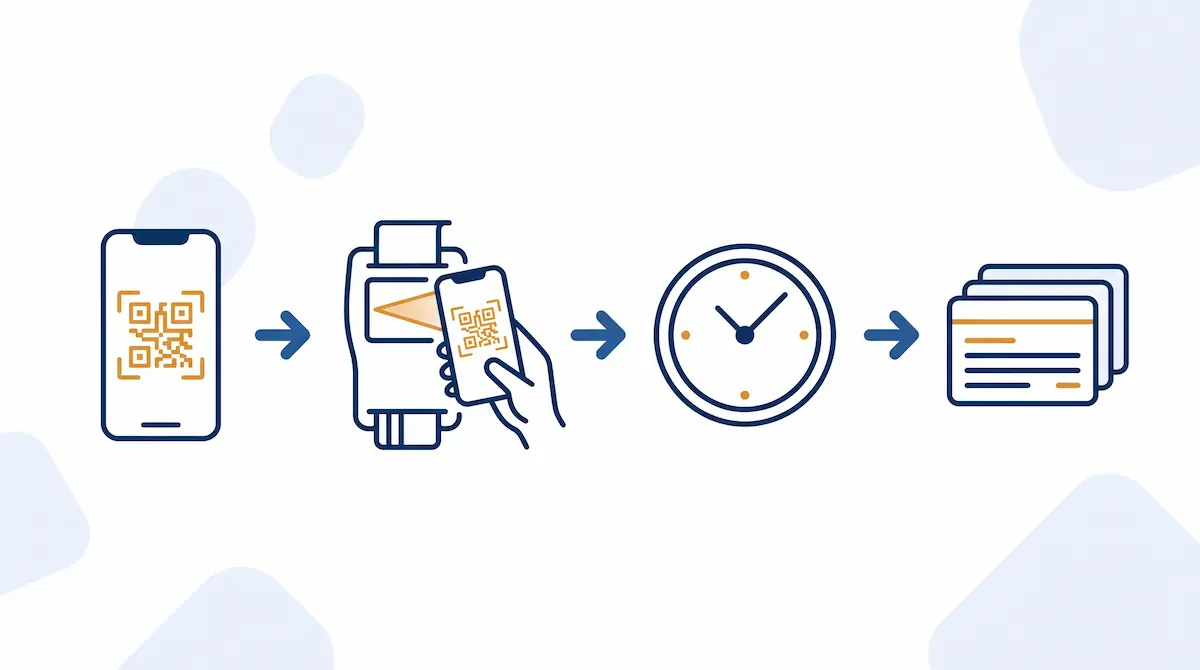
The QR approach has three practical advantages:
It's fast. Employees clock in within seconds, so no queue forms at the register during shift changes.
It's hard to abuse. Each employee has their own code, and every clock-in is stored with the time, user, and device. The "I came in late but got logged early" argument disappears.
It needs no extra hardware. No fingerprint reader or card turnstile to buy — the POS already on the counter is enough.
The system stores every clock event with a timestamp. Each employee's daily hours, net working time excluding breaks, and end-of-day total are calculated automatically. Managers can also see a live "who's working right now, who's on break" view at any point in the day.
Why log breaks separately?
To calculate net working time correctly, break time has to be subtracted from total hours. When break clock-in and clock-out are logged separately, an employee who is on-site for 9 hours and takes a 1-hour break is paid on a net 8 hours. That keeps pay fair and stops break times from drifting out of control.
Calculating Hours & Overtime
Raw clock data on its own is just a list; the real value is in the summaries calculated from it. A POS-based time-tracking system produces these without any manual input:
Daily net hours: time between clock-in and clock-out, minus breaks.
Weekly / monthly totals: all days summed into a period total.
Overtime: hours beyond the defined standard are shown separately.
Lateness and early leaving: real clock times compared against the shift plan, with deviations flagged.
In businesses that do this by hand, managers spend hours each month adding up sheets — with a margin of error on top. The system produces it in seconds, error-free. Whoever runs payroll can use the summary directly, with no need to re-key data into a separate HR tool.
Shift Planning & Notifications
Time tracking isn't only about recording the past; it's about planning the future. The shift-planning module lets you decide in advance who works which hours on which days.
A good shift-planning flow gives you:
A visual weekly plan: the whole week on one screen, so who works when is clear at a glance.
Gap and conflict warnings: the system flags shifts that are understaffed or where one person is double-booked.
Notifications to staff: when a schedule is published or changed, the employee gets a notification — removing the "nobody told me" excuse.
Plan vs. actual: the planned shift sits next to real clock data, so absences and late arrivals are obvious.
The advantage of keeping the schedule in the same system as the POS is that the plan is automatically compared with real time data. With a separate scheduling app, you'd have to check "what actually happened" by hand.
Access Permissions & Register Security
The most overlooked — yet most critical — side of staff management is permissions. Letting every employee do everything on the POS is a serious risk. A cashier issuing refunds, deleting an end-of-day report, or changing prices opens the door to both mistakes and abuse.
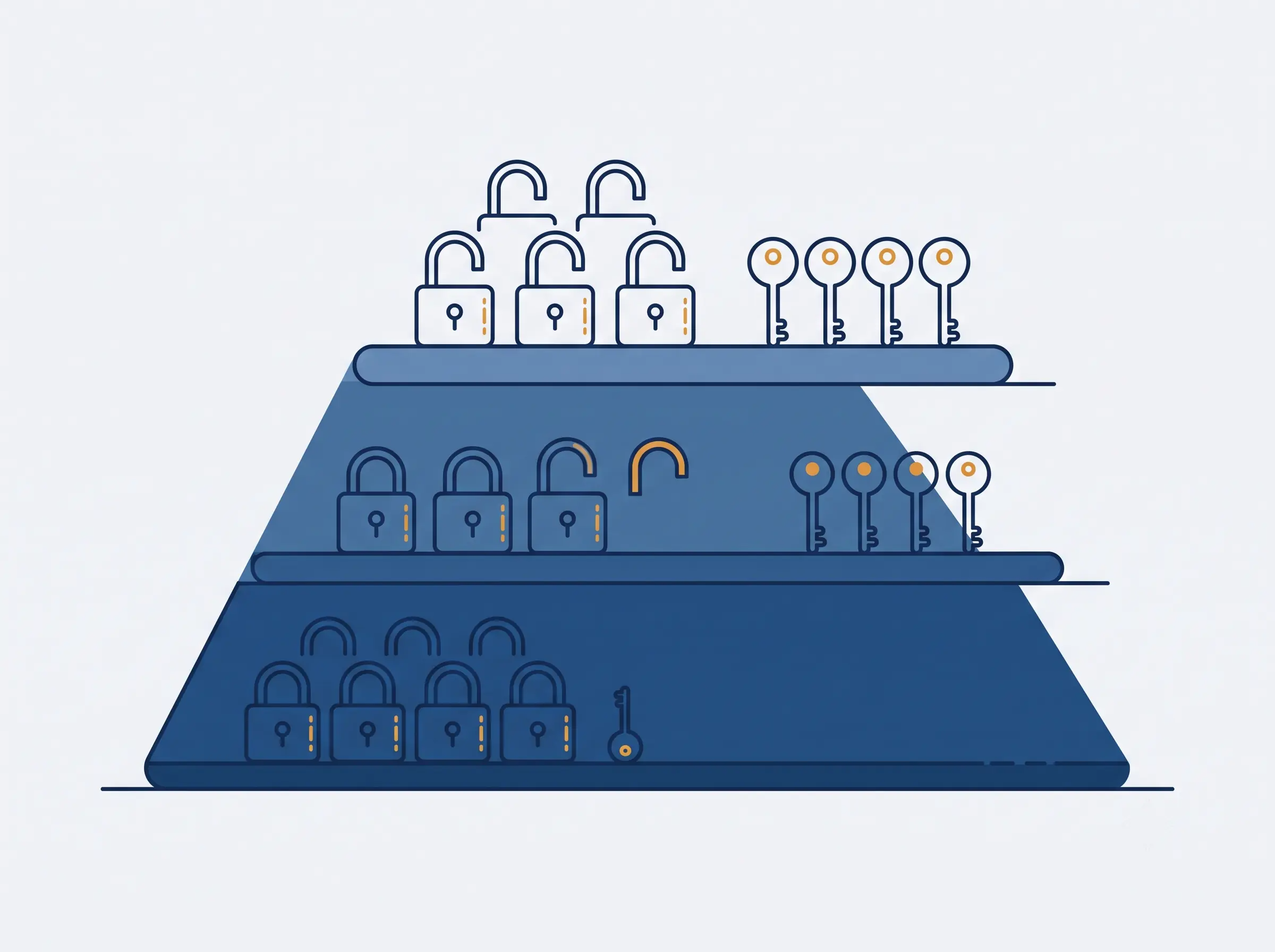
In POS-based time tracking, permissions are defined by role. A typical structure looks like this:
Cashier: makes sales, opens tickets, takes payment. No access to refunds, voids, discounts, or reports (or these require approval).
Shift lead: everything a cashier can do, plus approving refunds/voids and viewing the day's report.
Manager / owner: access to all reports, price and product settings, and staff and permission management.
Combining this with time tracking creates strong accountability: every action is recorded with the identity of the user who performed it. When a refund is issued, you can trace who did it, on which shift, and why. This is the most effective way to prevent register shortages and internal losses.
Staff Sales Performance Reports
Time tracking answers not only "how many hours" but "what was produced in those hours." Because the POS ties every sale to the staff member who made it, performance reports build themselves.
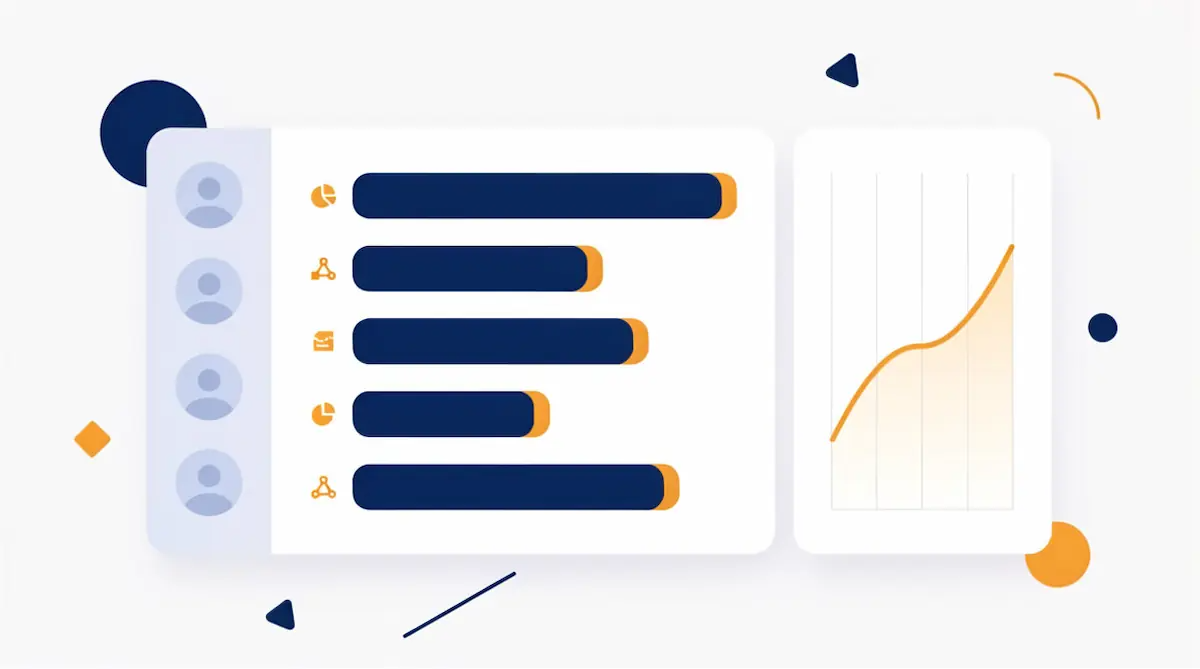
Performance reports typically track:
Total sales: each person's revenue over a given period.
Average basket size: sales per transaction — a measure of upselling skill.
Transaction count: how many tickets they closed; an indicator of pace and load.
Refund/void rate: a high rate can flag a need for training or closer attention.
This data drives concrete decisions. A business that wants to run bonuses or targets can distribute them by numbers, not by feel. Who needs training and who is ready for promotion becomes visible in the report. Even shift planning improves: you can put your strongest sellers on the busiest hours.
Leave & Absence Tracking
The final piece of staff management is leave and absence tracking. The system compares the planned shift with the actual clock data and flags absences automatically. When leave is entered in advance, an employee who isn't expected that day shows as "on leave" and isn't counted absent.
A good leave-and-absence flow includes:
Leave records: holiday, personal leave, sick days, and similar types.
Absence flagging: automatic marking of staff who were scheduled but never clocked in.
History view: one screen showing an employee's absences and late arrivals over a period.
Keeping these records in the same place as the POS data makes end-of-period payroll and performance review something you can do at a glance.
Which Businesses Is It For? Industry Scenarios
Time tracking helps in every sector, but the headline need shifts by industry.
Restaurants and cafés: shift work is heavy; servers, kitchen, and counter staff arrive at different times. Fast QR clock-in prevents a queue at shift change. Server-level sales performance measures upselling skill (desserts, drinks).
Grocery and retail: cashier permissions and refund control are critical. To prevent register shortages, every action must be tied to a person. Shift plans built around busy and quiet hours raise efficiency.
Multi-location businesses: who works at which branch, staff covering more than one location, and branch-by-branch performance comparison are all run from a central dashboard. We go deeper into this in the "Staff & Stock Management Across Multiple Branches" article.
Setup: Starting Time Tracking on Your POS, Step by Step
A practical order for switching to POS-based time tracking:
Create employee records. Define a name, role, and personal QR code for each employee.
Set roles and permissions. Define cashier, shift lead, and manager rights; decide who can't do what.
Build shift templates. Define the recurring weekly pattern once, then copy it week to week.
Define time rules. Enter the standard daily hours, break length, and overtime threshold.
Train your staff. Reinforce the habit of scanning the QR code for clock-in/out and breaks in the first week.
Read the first reports. At the end of the first month, review the hours summary and sales performance together; fine-tune shift and permission settings against real data.
Once these steps are done, staff management moves from guesswork to a measurable process.
Frequently Asked Questions
Do I need a separate device for time tracking?
No. In a POS-based system, clock-in/out, shift, and performance tracking all run on the device you already use as a register. There's no need to buy a separate fingerprint reader or card terminal.
Can an employee clock in for someone else?
Each employee has their own QR code, and every clock-in is recorded with the time, user, and device. That makes clocking in for someone else difficult and auditable after the fact.
Are breaks deducted from working time?
Yes. Because break clock-in and clock-out are logged separately, net working time is calculated automatically by subtracting breaks from total hours.
Can I see what each employee sold?
Yes. The POS ties every sale to the staff member who made it; metrics like total revenue, average basket size, transaction count, and refund/void rate are reported per employee.
Can I stop a cashier from issuing refunds or voids?
Yes. With permission levels you can close sensitive actions — refunds, voids, discounts, and report viewing — for cashiers, or require manager approval for them.
How do I notify staff of a schedule change?
When a shift plan is published or changed, the system sends a notification to the affected employees, removing the need to pass on the plan verbally or via separate messaging.
How does time tracking work across multiple locations?
All branches' staff and time data merge into a central dashboard. An employee can work across more than one branch, you can compare performance per branch, and you can plan shifts centrally.
Staff Management with Kardo POS
Kardo POS treats time tracking not as a bolt-on module but as a natural part of the sale. Your staff clock in with a QR code on the same register they use all day; from that moment, their hours, breaks, shift, and every sale they make come together in one system. With no separate time clock, no separate HR app, and no end-of-month spreadsheet marathon, the answers to who worked when, who sold how much, and who holds which permissions all sit on one dashboard.
To run your business by numbers — without disputes and without guesswork — move time tracking inside your POS.